


Follow cricket
How to control a live stream from a computer with CricoStudio
Show cards, ads, replays, a scrolling line and your logo on a live video. You do it from a computer, in CricoStudio.
Who can do this
The person who created the match, its scorers and the tournament's organisers. You must log in.
Before you start
The match is live. It is filmed with the CricoScore app, or shown in OBS. See OBS on a computer.
The match's link on the website. It looks like
cricoscore.app/match/<match-name>. The last part is the match name.
Open CricoStudio
In your browser, type
https://cricoscore.app/overlay/<match-name>/control. Use the match name from the match's link.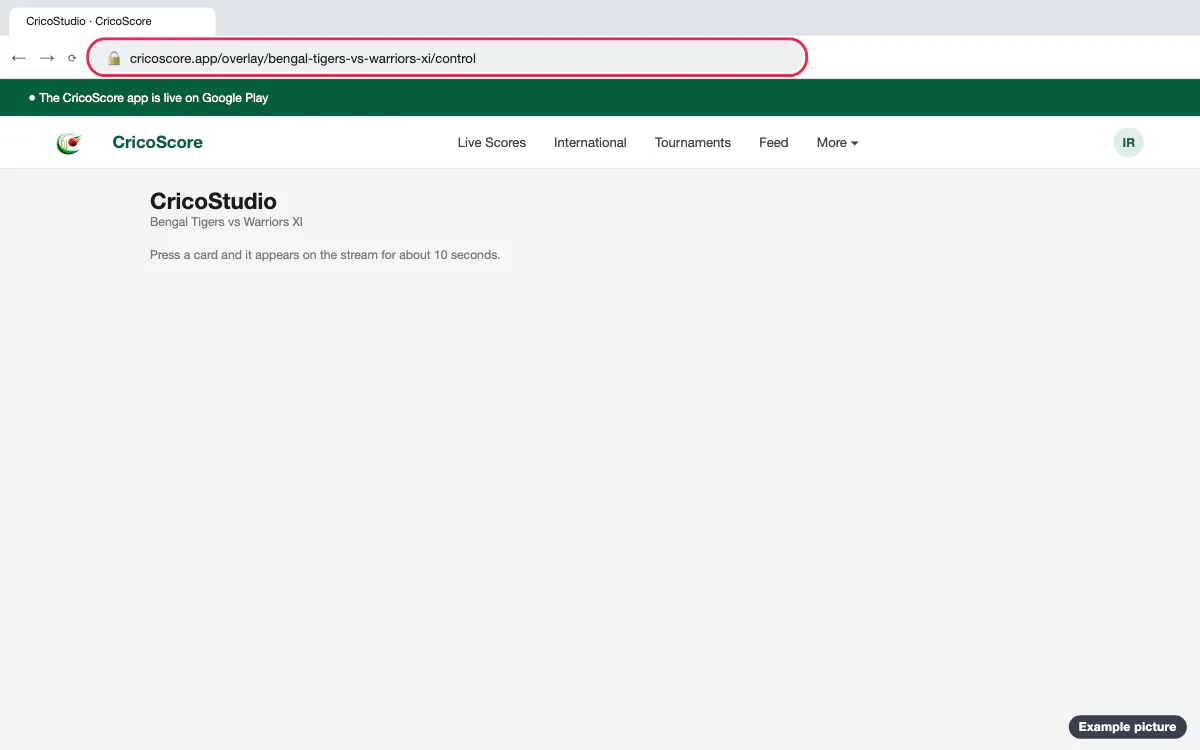
Picture 1. Tap or click to see it bigger. If the website asks, log in. CricoStudio opens, with the two teams under the title.
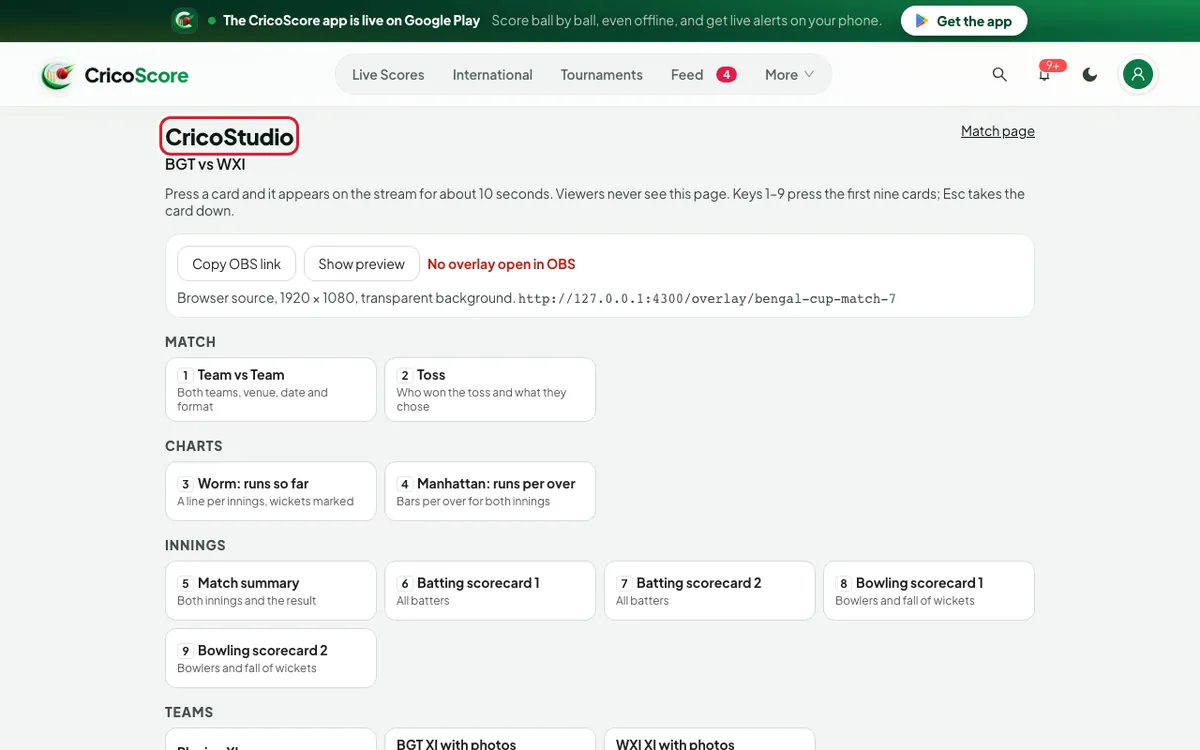
Picture 2. Tap or click to see it bigger.
Show a card
Find the card, under MATCH, CHARTS, INNINGS, TEAMS, TOURNAMENT or PLAYERS.
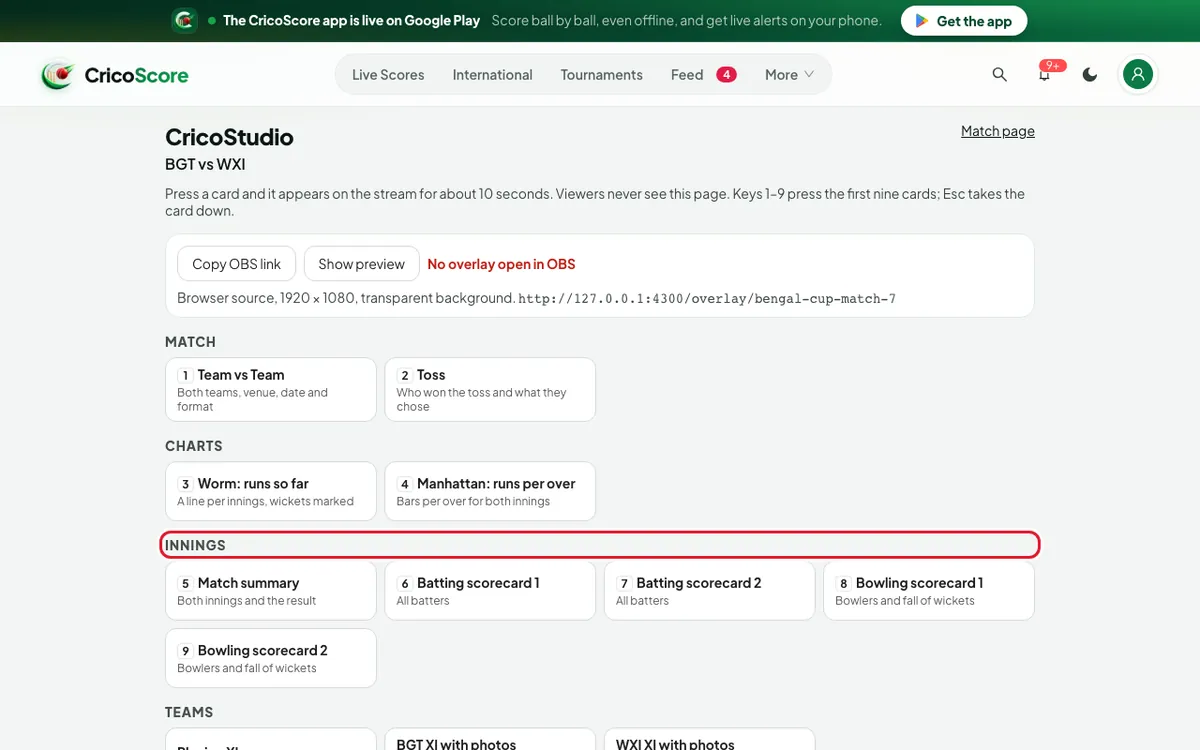
Picture 3. Tap or click to see it bigger. Click the card, like Match summary. It shows on the stream for about 10 seconds.
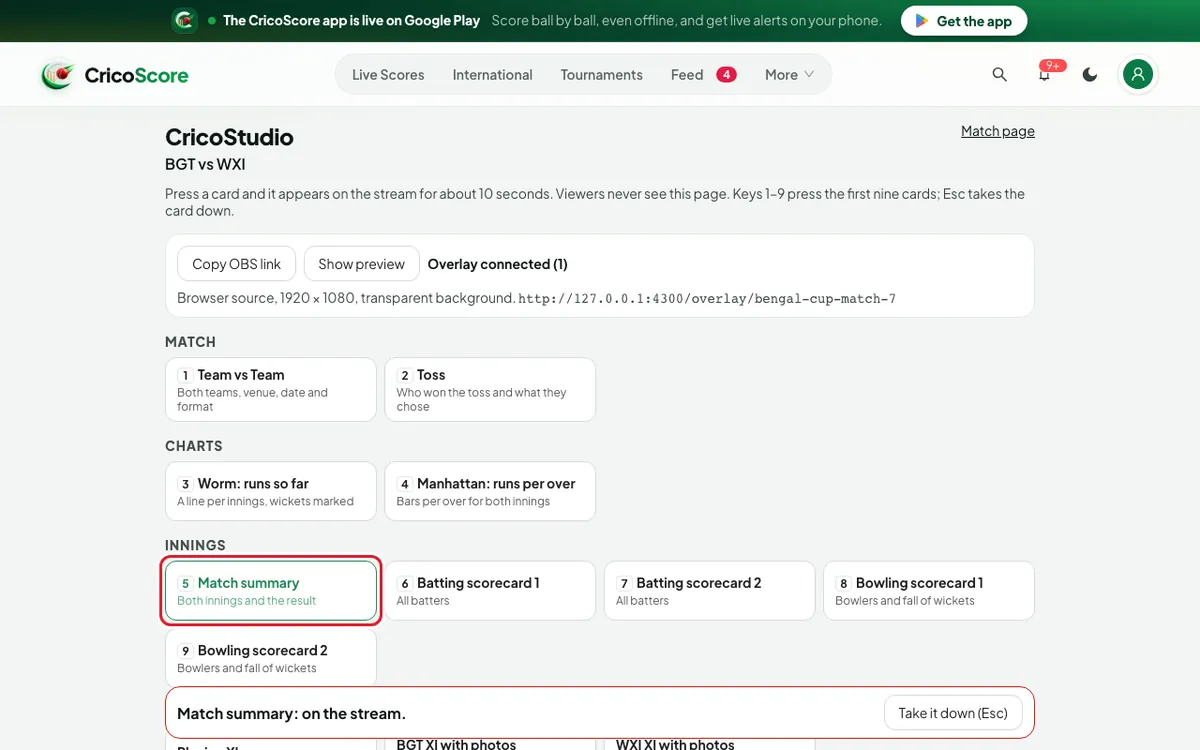
Picture 4. Tap or click to see it bigger. To remove it early, click Take it down (Esc) at the bottom.
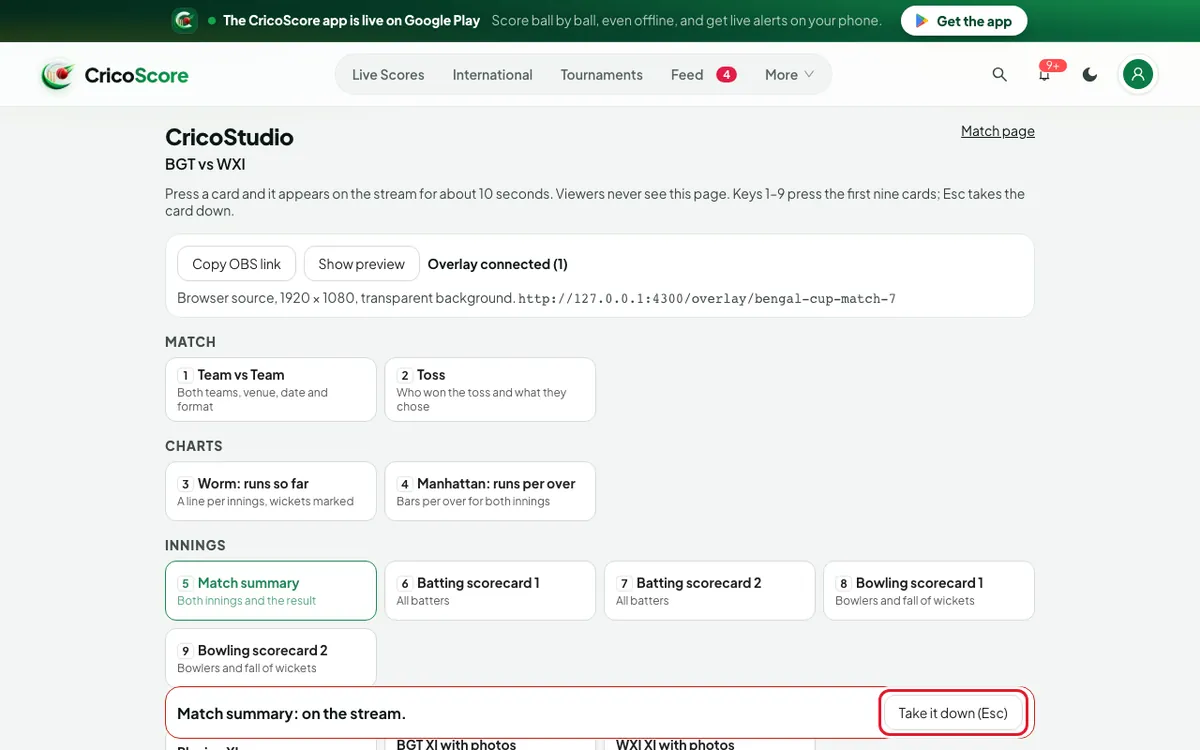
Picture 5. Tap or click to see it bigger.
For Batter: career and Bowler: career, choose a player in the list under the card first. Leave it empty for the batter on strike or the bowler of the over.
On the keyboard, press 1 to 9 for the first nine cards. Press Esc to take the card down.
Breaks and the player of the match
Scroll to BREAKS AND AWARDS.
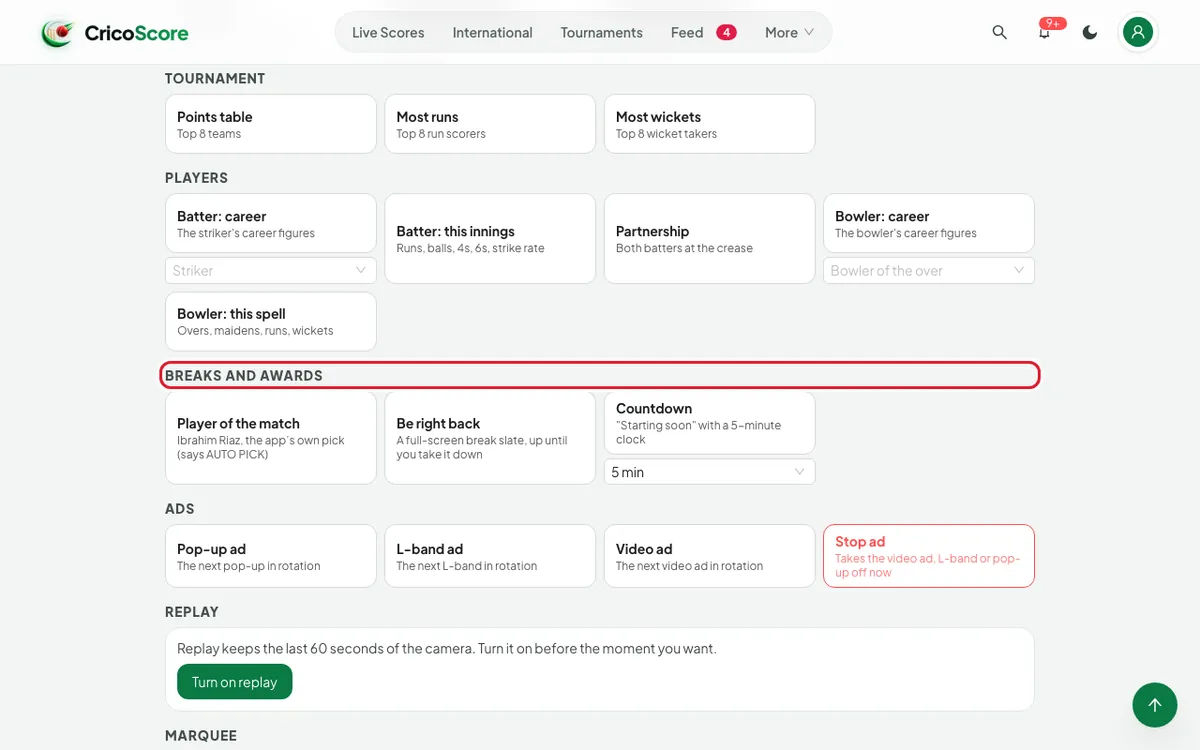
Picture 6. Tap or click to see it bigger. For a countdown, choose the minutes in the list under Countdown. Choose Custom to type your own, up to 60.
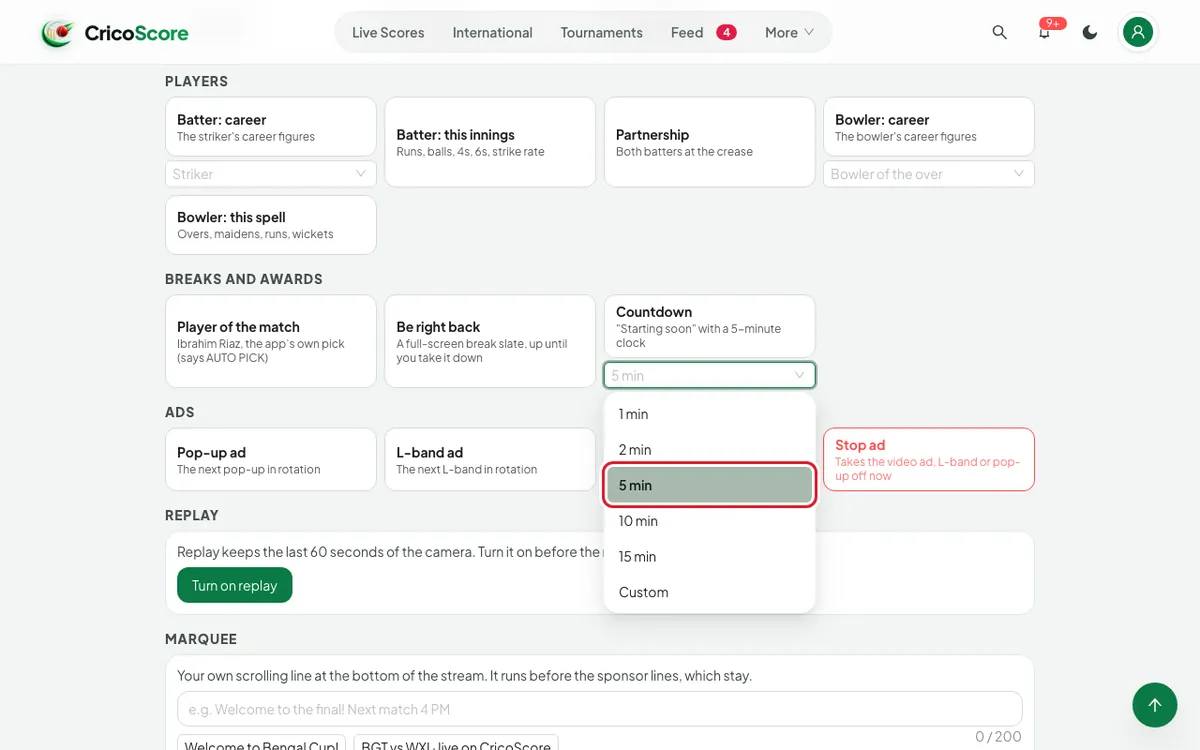
Picture 7. Tap or click to see it bigger. Click Countdown or Be right back. It covers the whole picture.
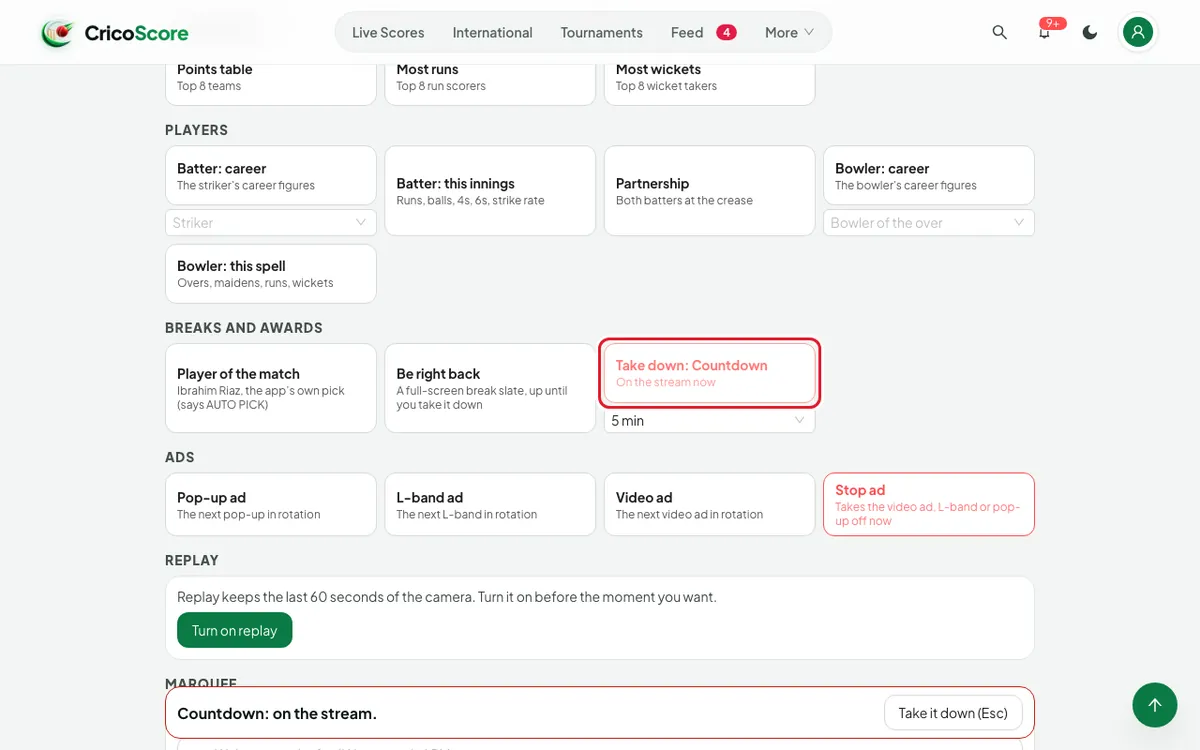
Picture 8. Tap or click to see it bigger. To end it, click Take down: Countdown or Take down: Be right back. A new ball does not end it.
Player of the match shows the player and what they did. If the app chose the player by itself, the card says AUTO PICK.
Play an ad, or stop it
Under ADS, click Pop-up ad, L-band ad or Video ad.
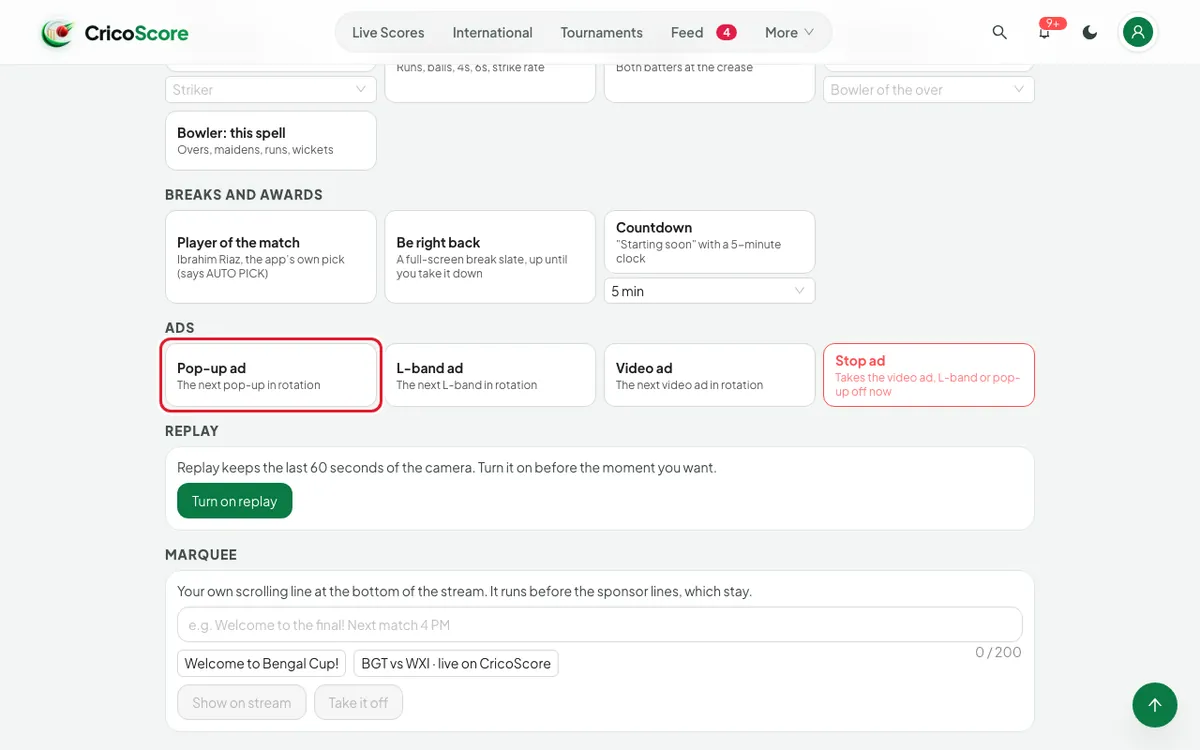
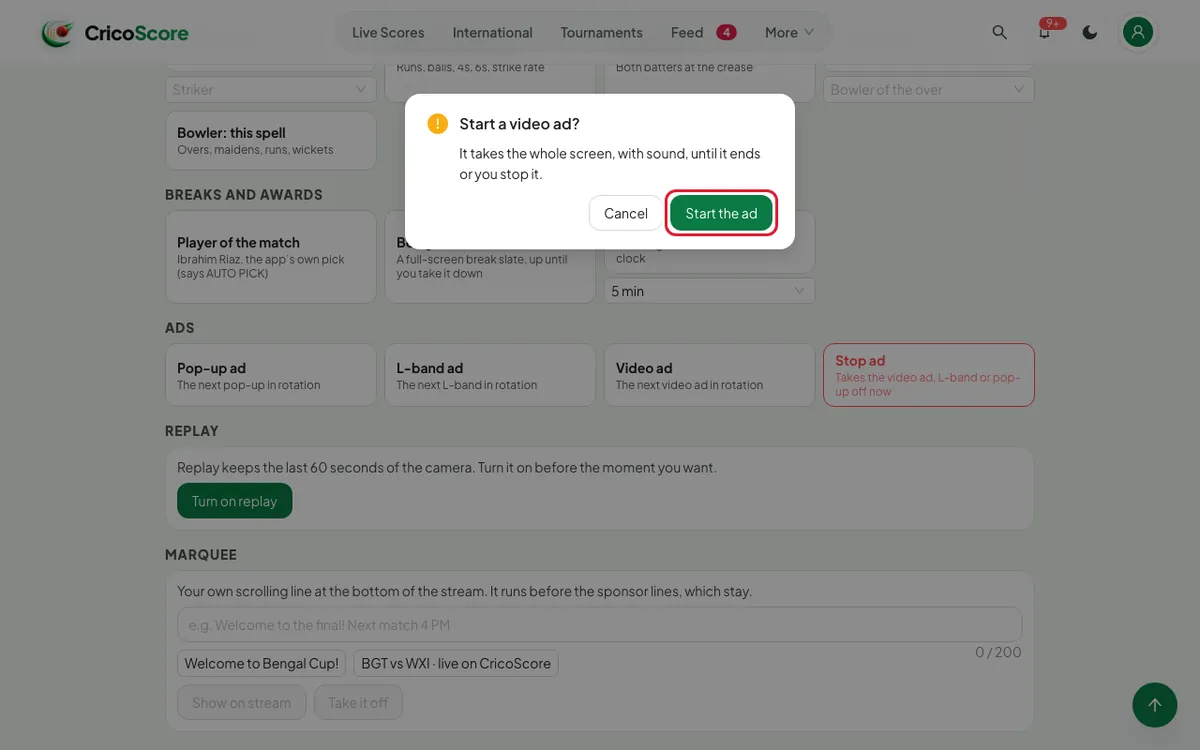
Picture 9. Tap or click to see it bigger. For a video ad, click Start the ad in Start a video ad? It covers the picture, with sound.
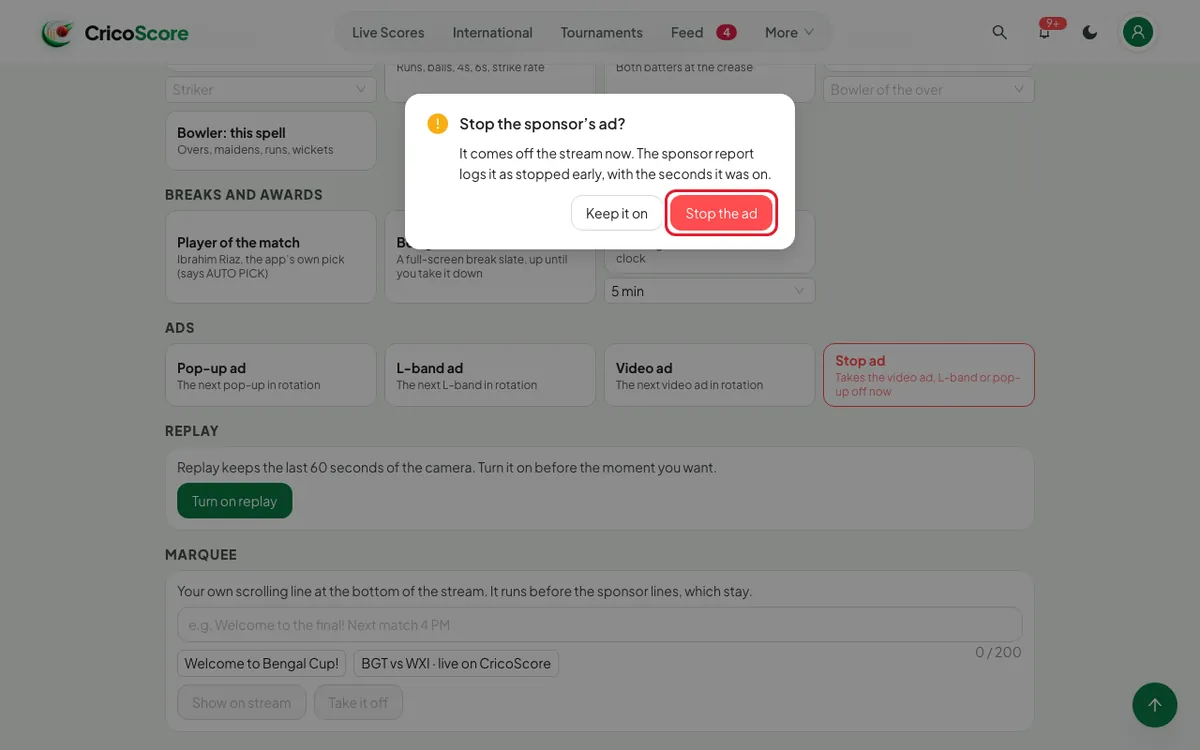
Picture 10. Tap or click to see it bigger. To end an ad, click Stop ad. Then click Stop the ad.
Picture 11. Tap or click to see it bigger.
A card you click during a video ad or an L-band waits. It shows when the ad ends.
Replay
REPLAY shows only for a match filmed with the CricoScore app. With OBS, use OBS's own Replay Buffer.
Click Turn on replay, before the moment.
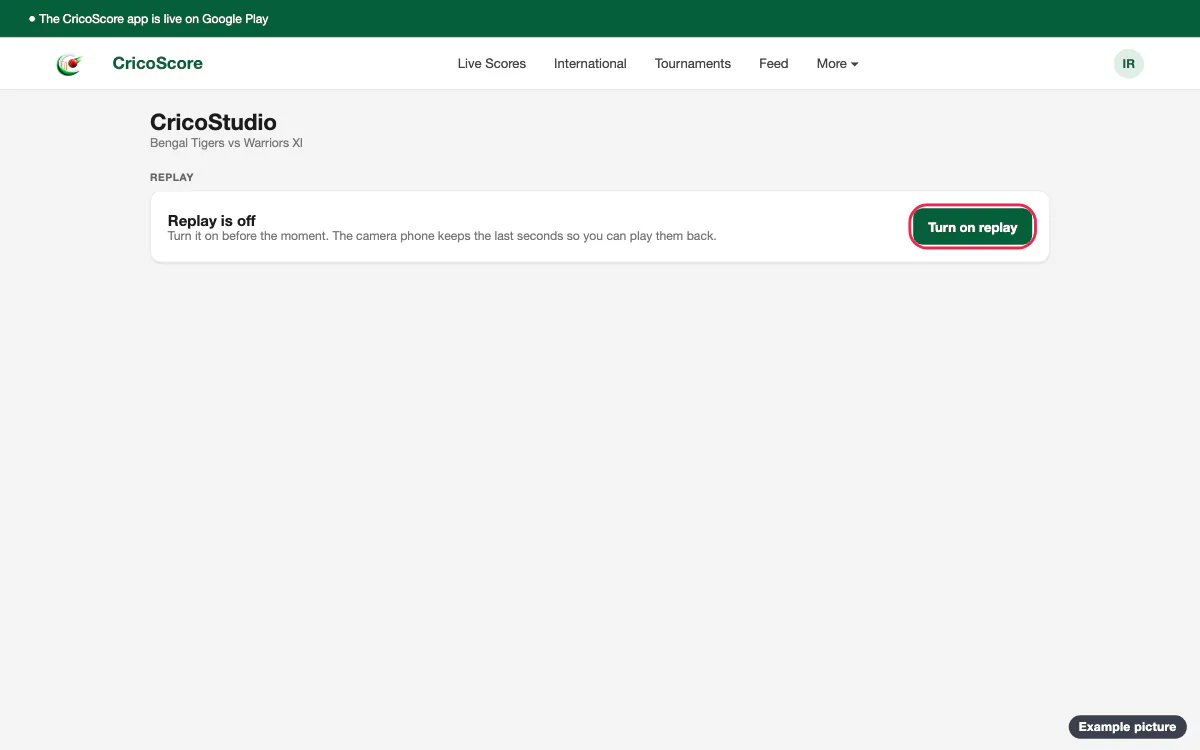
Picture 12. Tap or click to see it bigger. Choose 6s before, 8s before or 10s before.
When something big happens, click Mark.
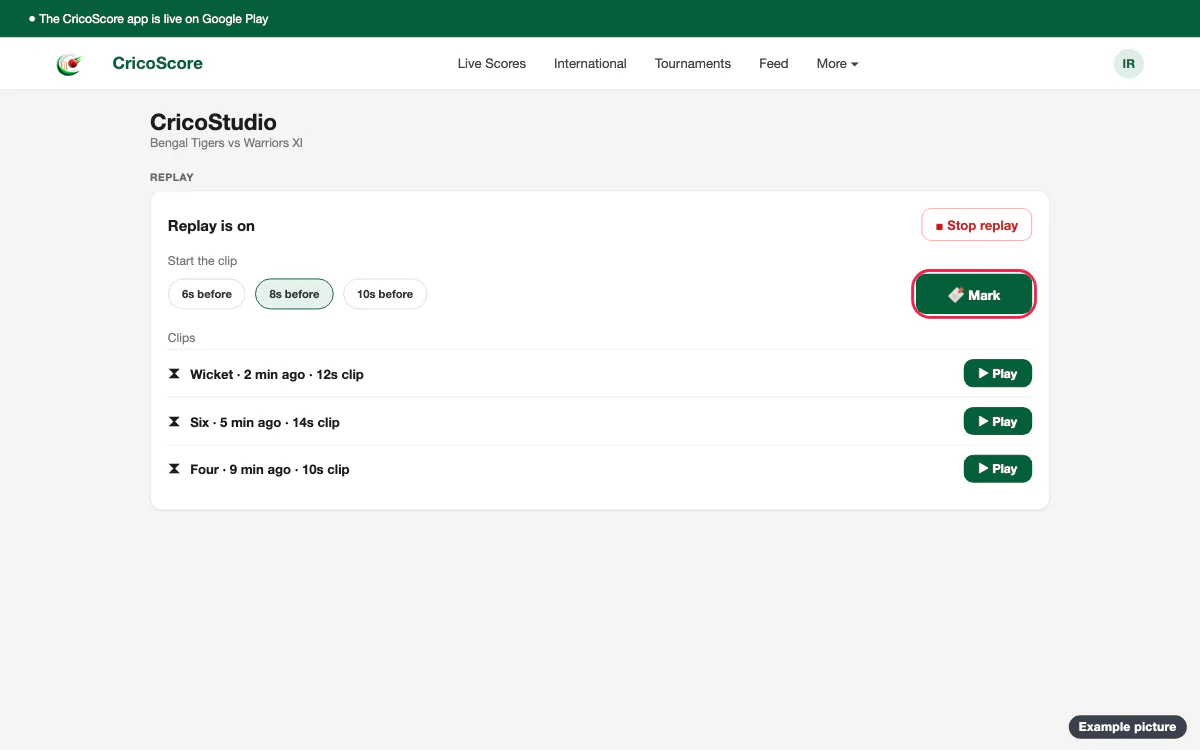
Picture 13. Tap or click to see it bigger. In a gap, click Play next to the clip. Click Stop replay to end it.
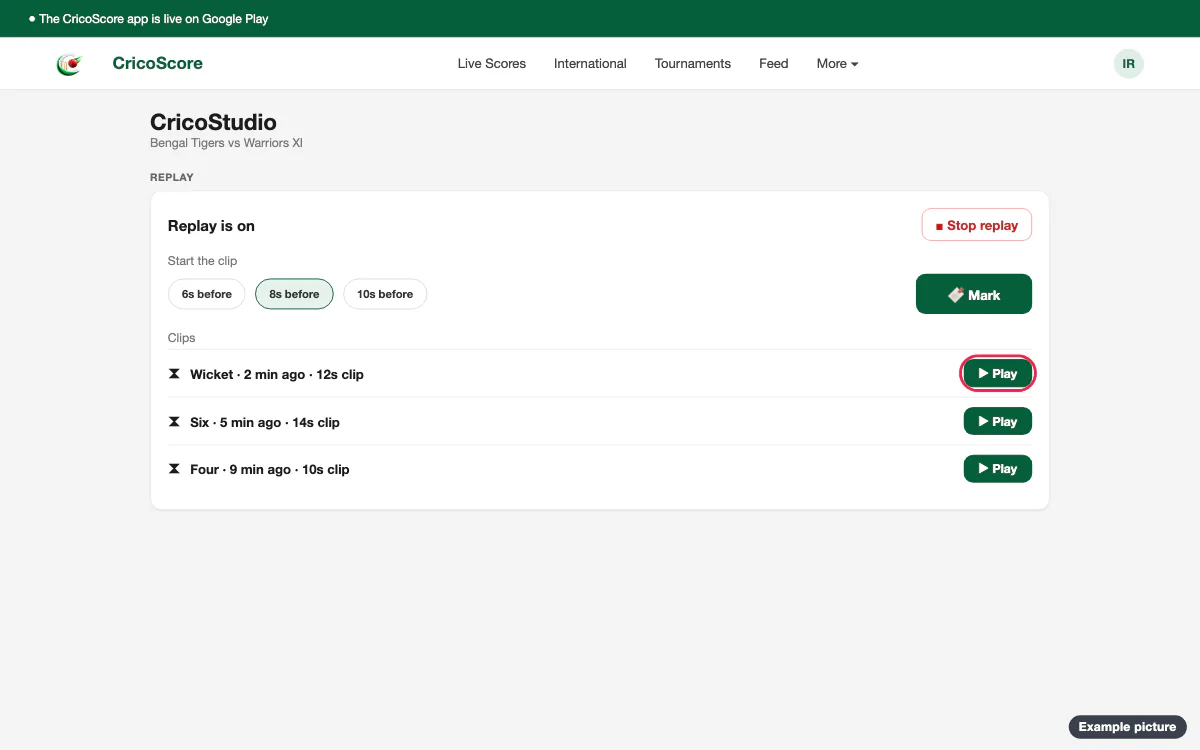
Picture 14. Tap or click to see it bigger.
At the innings break, tick clips and play them one after another. See Replays and highlights.
Scrolling line, logo and theme
Under MARQUEE, type a short line. Click Show on stream. Take it off removes it.
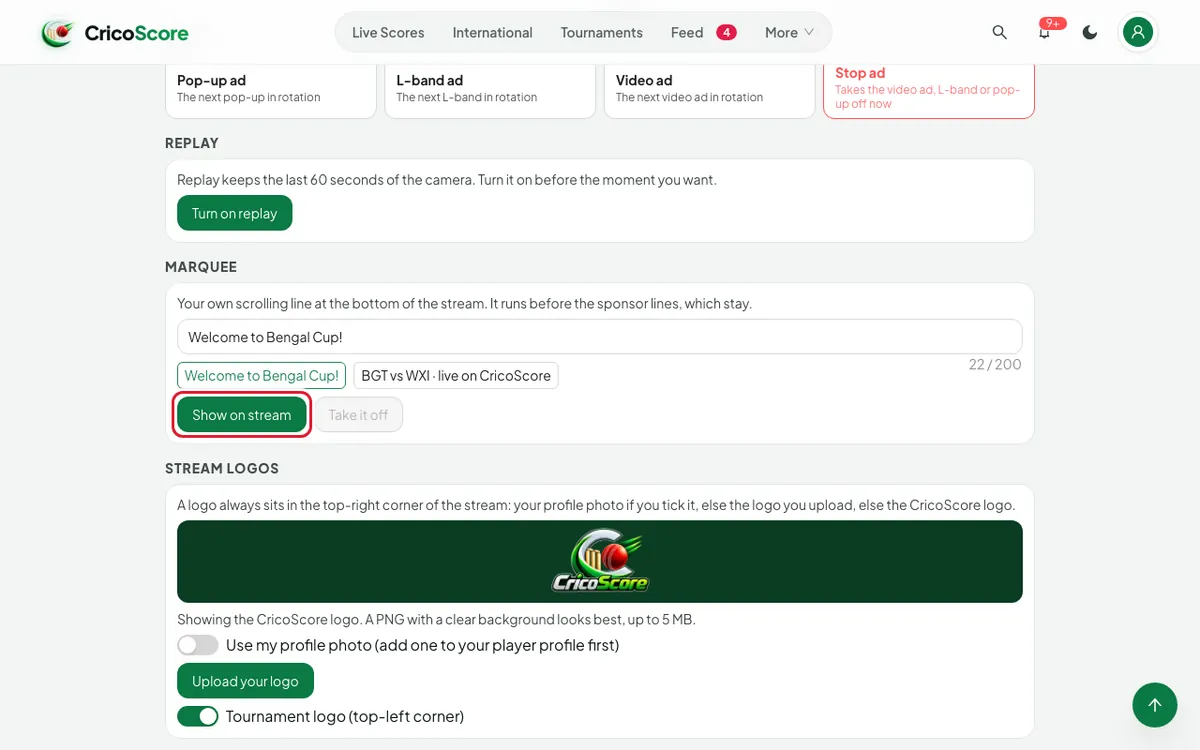
Picture 15. Tap or click to see it bigger. Under STREAM LOGOS, click Upload your logo. Or turn on Use my profile photo.
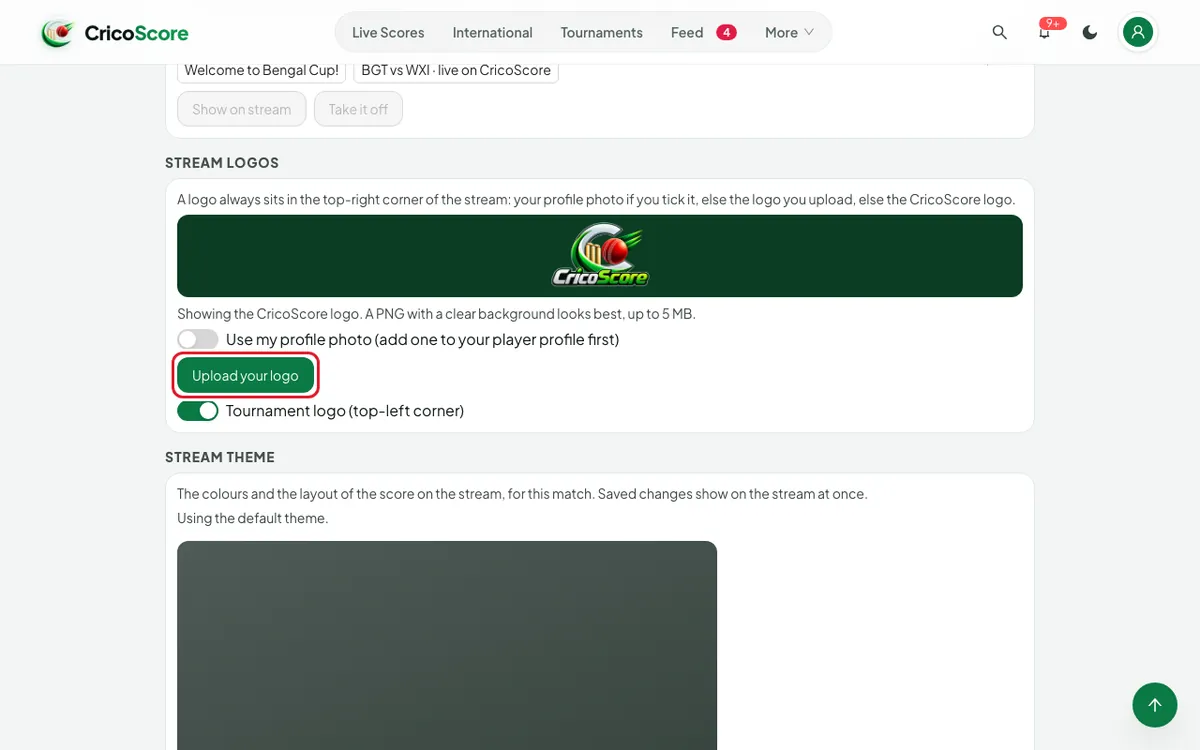
Picture 16. Tap or click to see it bigger. Under STREAM THEME, choose a theme, a layout and colours. Click Save theme. See Set up a tournament, Part 6.
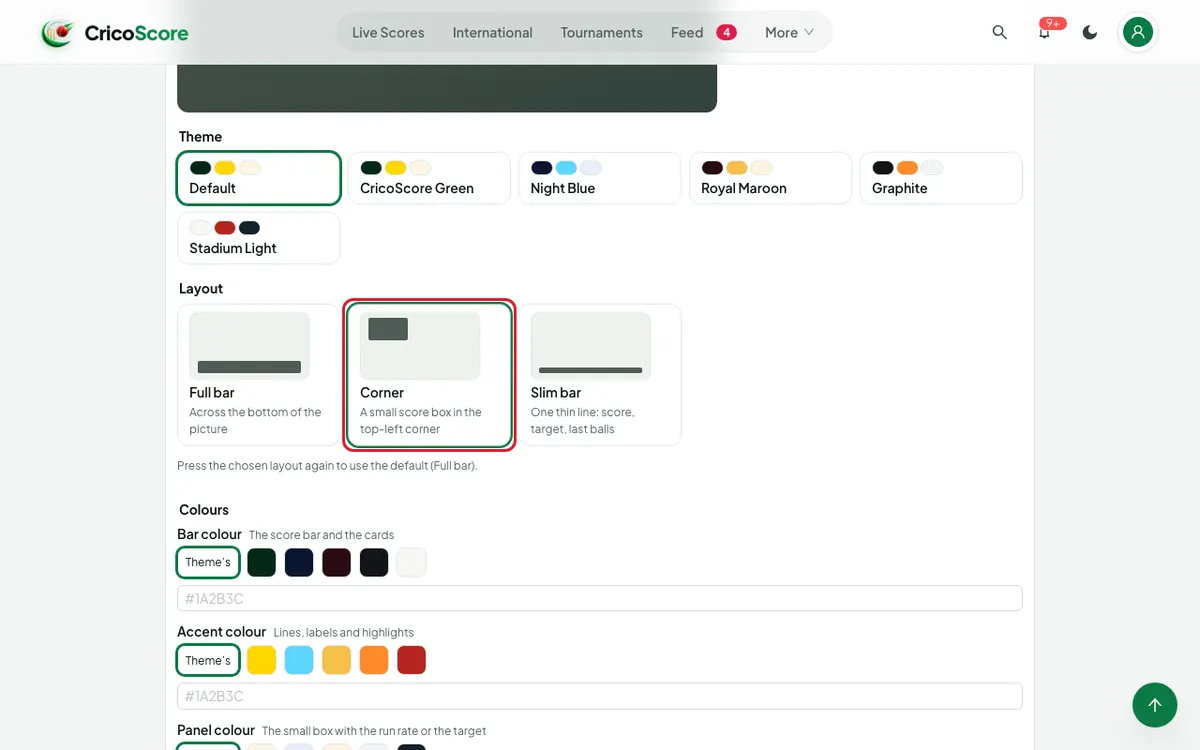
Picture 17. Tap or click to see it bigger.
Common problems
| Problem | What to do |
|---|---|
| A red line: Your account can't control this match. | Ask the match owner or the tournament organiser to add you as a scorer. |
| Sent, but no OBS overlay is open. | Add the OBS link to OBS first. See OBS on a computer. |
| Wait a few seconds before showing another card. | Wait, then click again. |
| A card is grey | Its small line says why, like Record the toss first. |
| I don't see REPLAY | The match goes out through OBS. Use OBS's Replay Buffer. |
| The accent colour is hard to read on the bar colour | Choose a lighter or darker colour, or click Theme's. |