


Follow cricket
How to follow live scores and find a match on the website
You will find today's matches, see live scores, and choose another day.
Who can do this
Everyone. You don't need an account.
Before you start
A phone or computer with internet.
Open cricoscore.app in your browser.
Steps
Open the matches page:
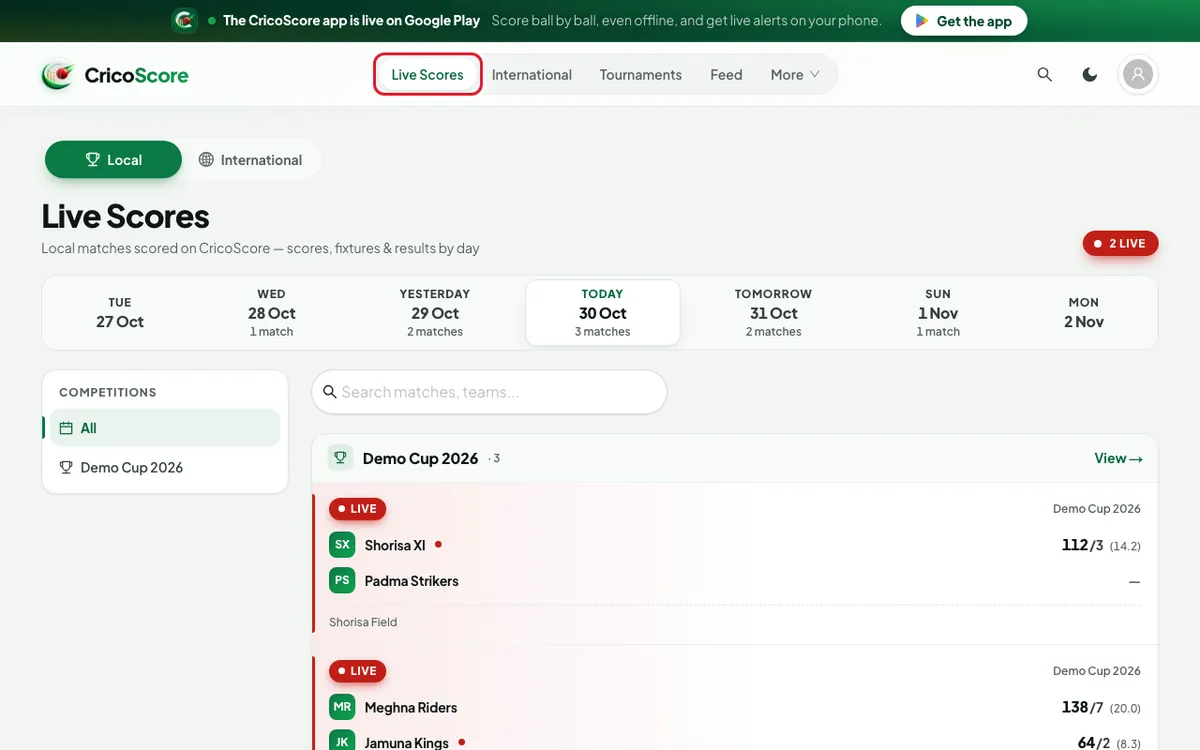
Computer: click Live Scores in the top menu.
Phone: tap Matches in the bottom bar.
The Live Scores page opens. A red LIVE count shows how many matches are live now.
Picture 1. Tap or click to see it bigger. 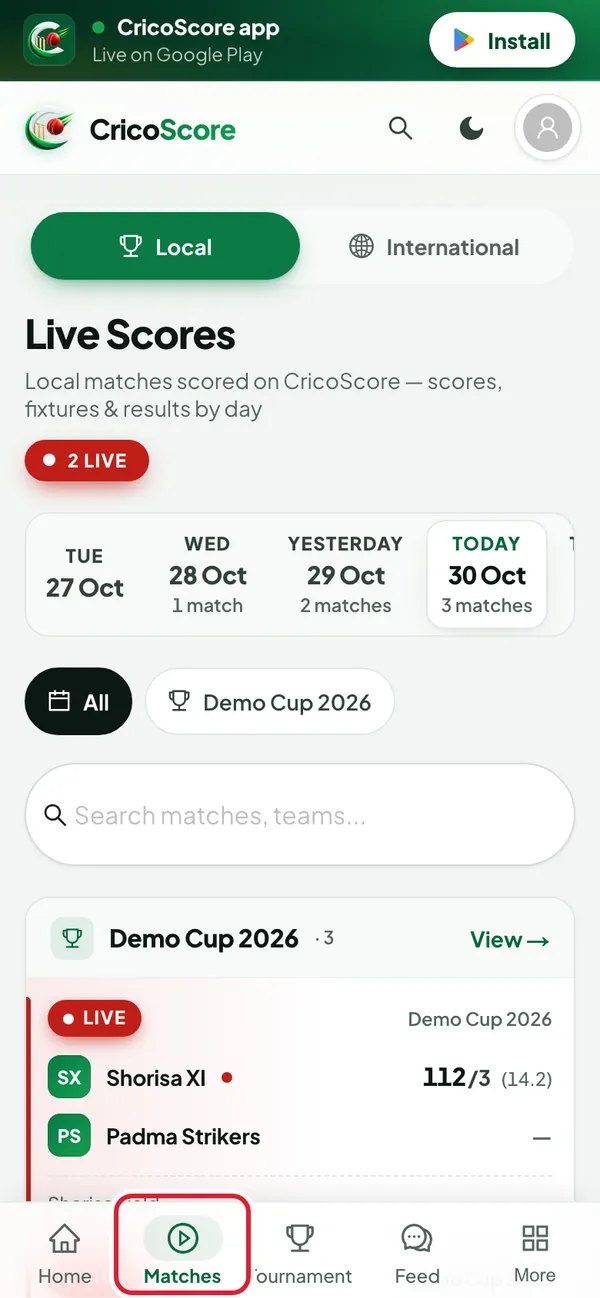
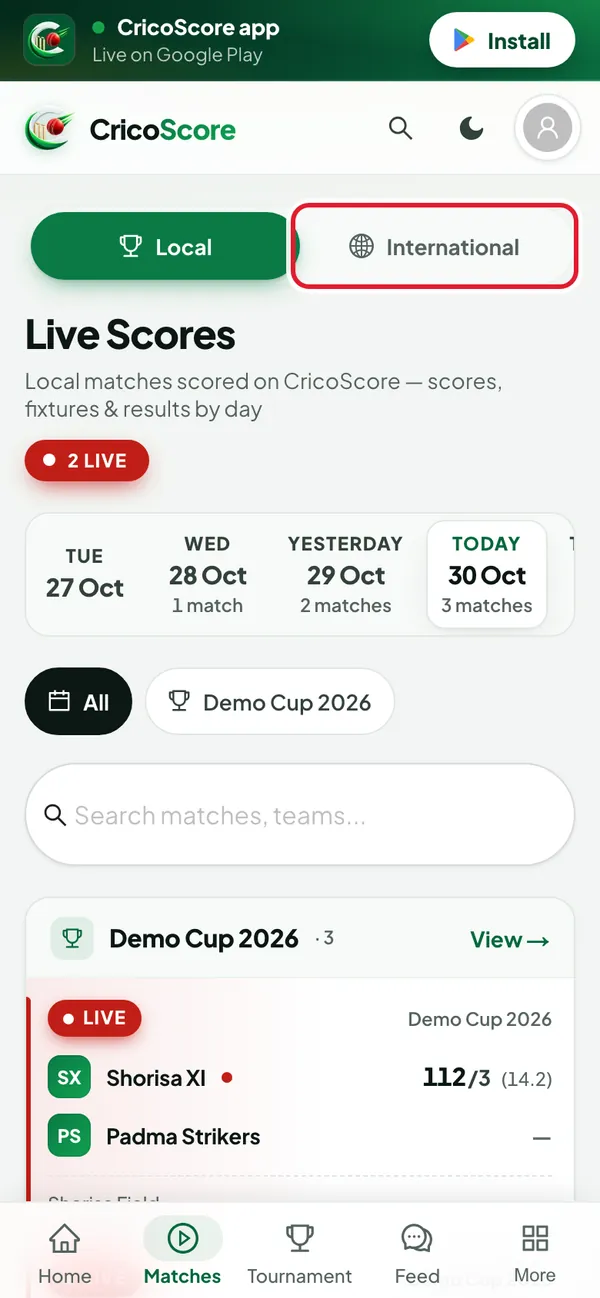
Picture 2. Tap or click to see it bigger. Choose Local or International at the top. Local shows matches scored on CricoScore. International shows world cricket.
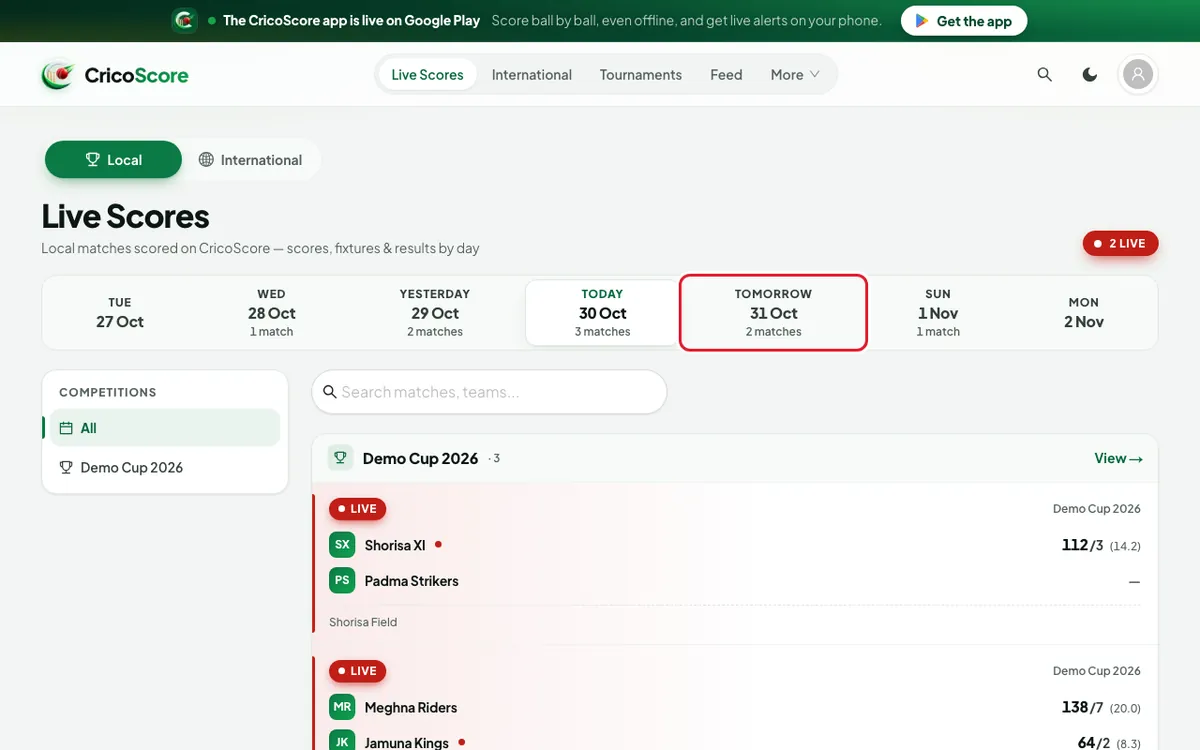
Picture 3. Tap or click to see it bigger. Click (or tap on a phone) a day in the day strip. It shows 7 days, for example YESTERDAY, TODAY, TOMORROW. Each day shows how many matches it has.
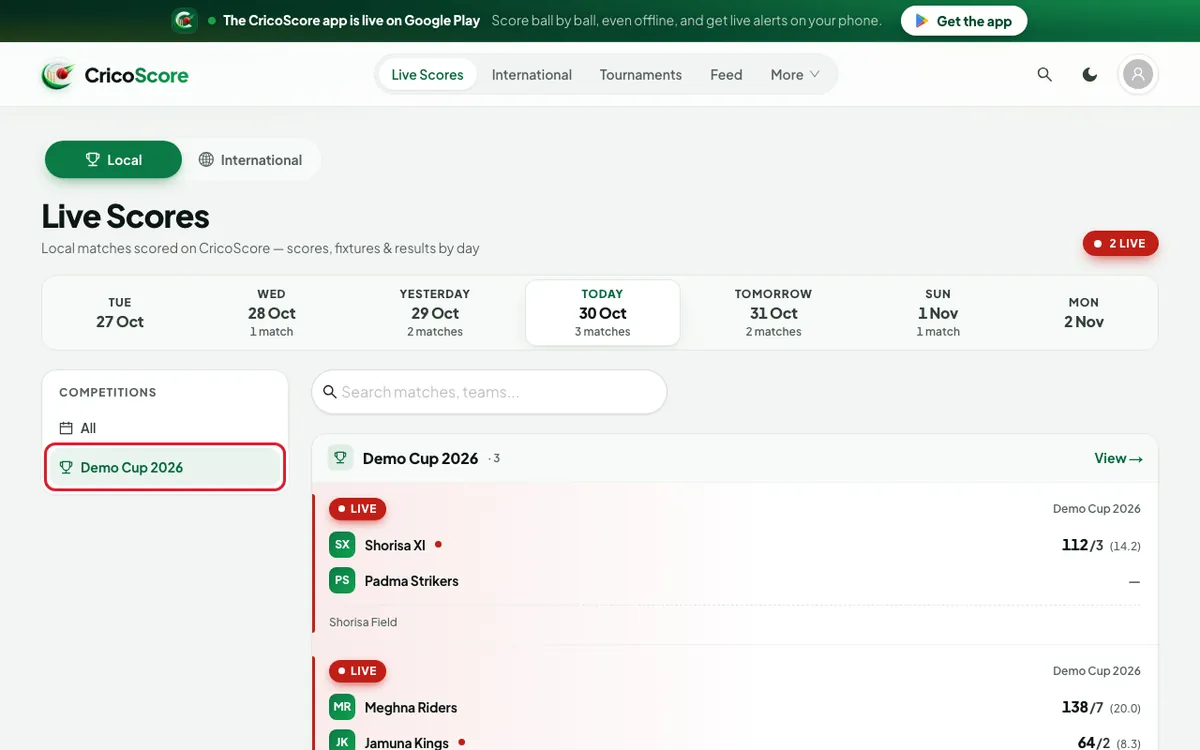
Picture 4. Tap or click to see it bigger. To see one tournament only, click (or tap on a phone) its name in the list beside the matches. On a phone, the list is a row of buttons. Swipe it sideways.
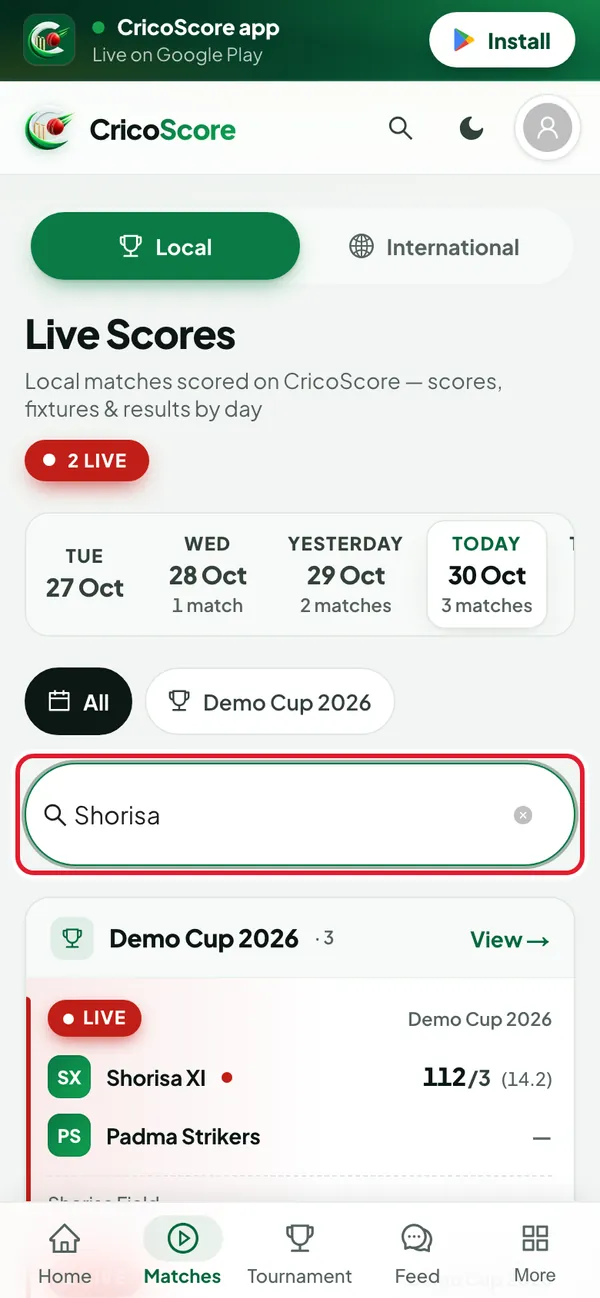
Picture 5. Tap or click to see it bigger. To find a team, type its name in the Search matches, teams... box. Example: "Shorisa".
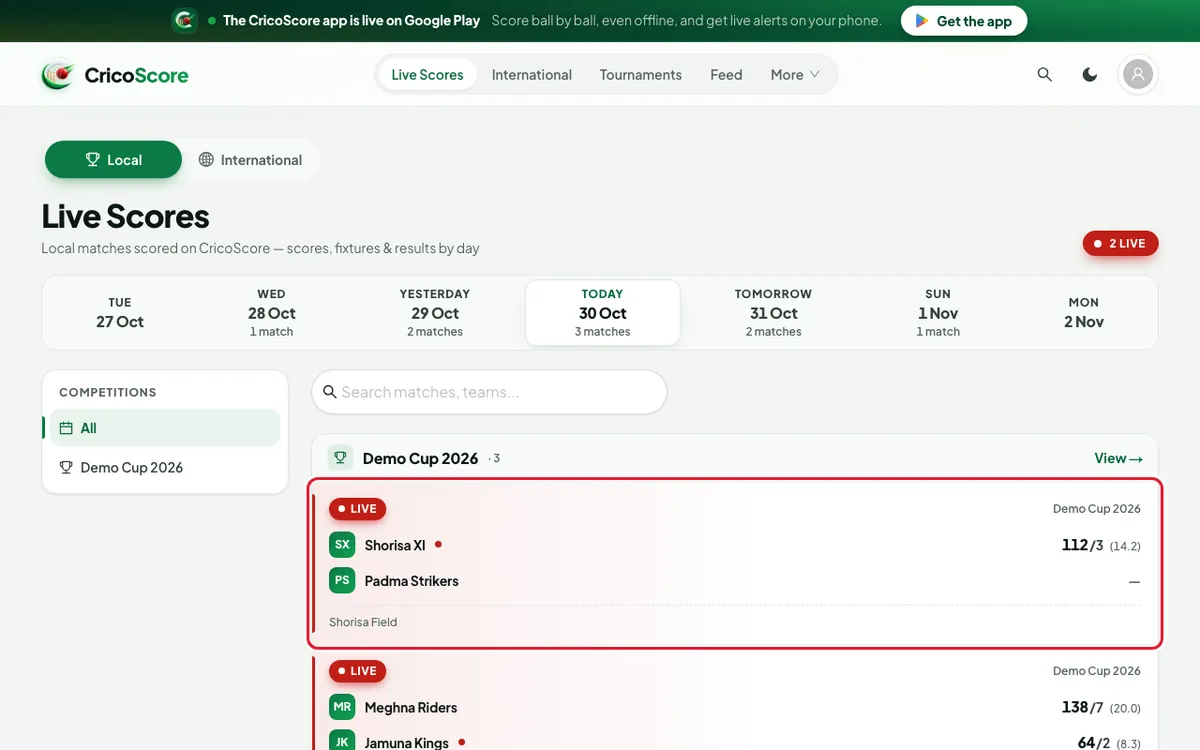
Picture 6. Tap or click to see it bigger. Click (or tap on a phone) a match card. The match page opens. See How to read a match page.
Picture 7. Tap or click to see it bigger.
See only matches with live video
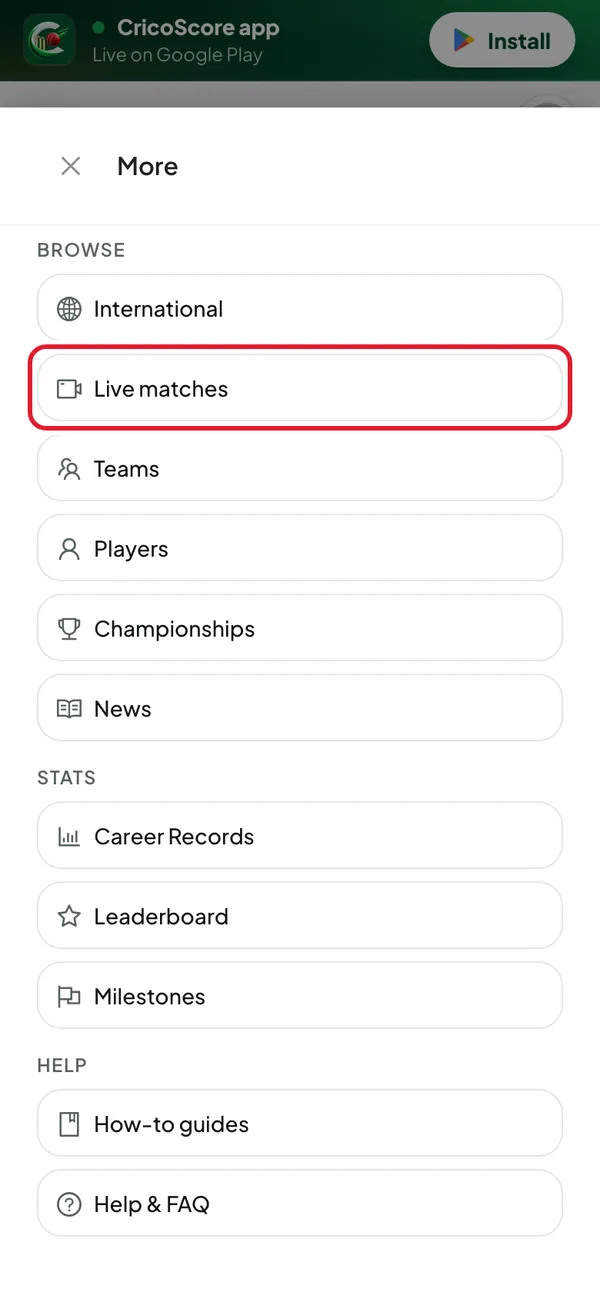
Open More. On a computer it is in the top menu. On a phone it is in the bottom bar.
Click (or tap on a phone) Live matches. You see every match that has video on air now.
Picture 8. Tap or click to see it bigger. 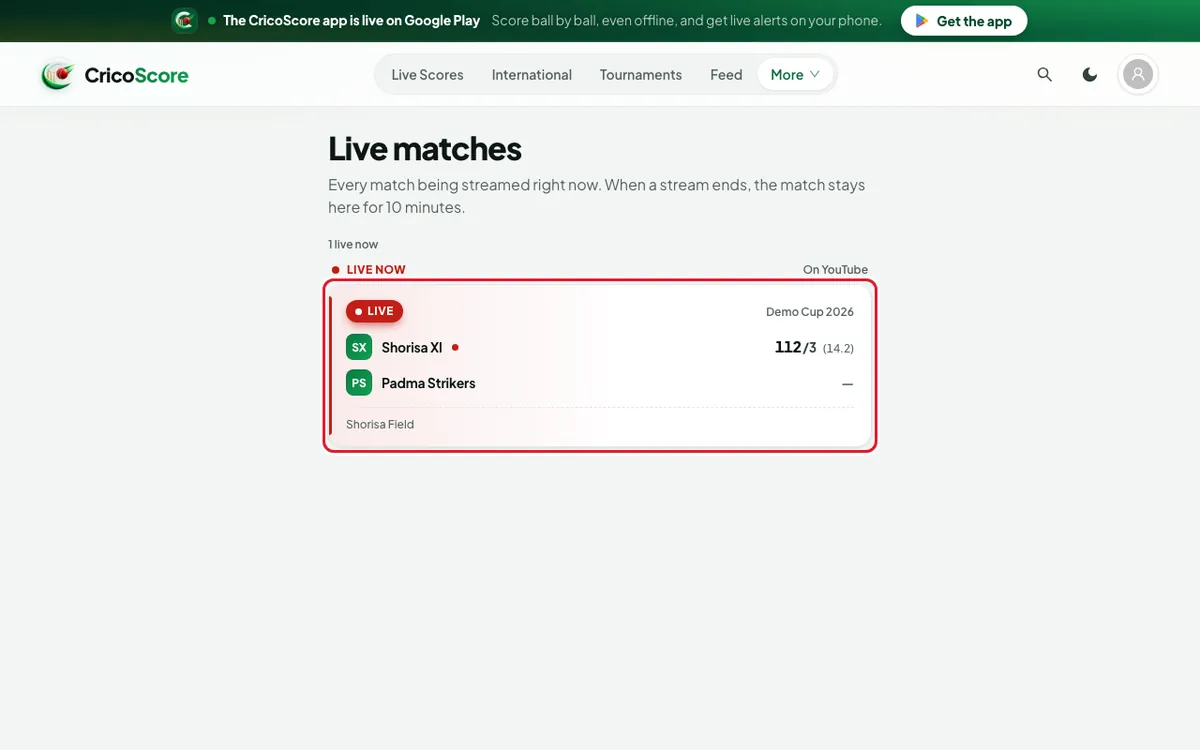
Picture 9. Tap or click to see it bigger.
Common problems
| Problem | What to do |
|---|---|
| TODAY is not chosen when the page opens | If there are no matches today, the page opens on the last day that had matches. Click (or tap) TODAY in the day strip. |
| No matches on this day. | Choose another day in the day strip. |
| Reconnecting… scores may be out of date. | Check your internet. The scores update again when the connection is back. |
| We couldn’t load the matches. | Check your internet, then click (or tap) the button to try again. |
| No live streams right now on the Live matches page | No match has video on air now. Live scores are still on the Live Scores page. |
| A match ended its video a few minutes ago but is still listed | A match stays on Live matches for 10 minutes after its video ends. It shows Stream ended. |