


Follow cricket
How to show the live score on your own stream with OBS
You will put the CricoScore scoreboard on top of your own video in OBS. OBS then sends it to YouTube or Facebook.
Who can do this
Anyone who streams a match with OBS. You don't need an account to show the score. You need an account, and the right to score the match, to show cards and ads.
Before you start
A computer with OBS Studio (version 31 or newer is best).
The match's link on the website. It looks like
cricoscore.app/match/<match-name>. The last part is the match name.Your camera already in OBS.
The match is Public. A Private match shows no live score.
Add the scoreboard
In OBS, under Sources, click +, then Browser. Name it "CricoScore score" and click OK.
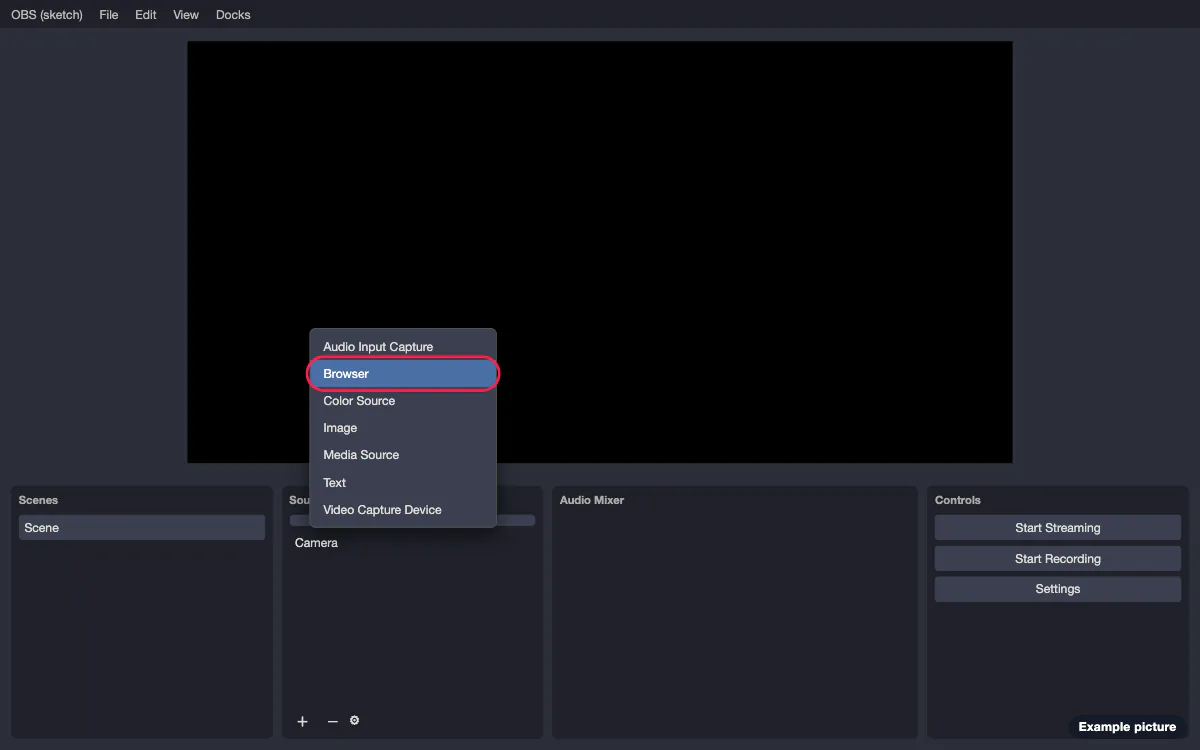
Picture 1. Tap or click to see it bigger. In URL, type
https://cricoscore.app/overlay/<match-name>. Use the match name from the match's link.Set Width to 1920 and Height to 1080.
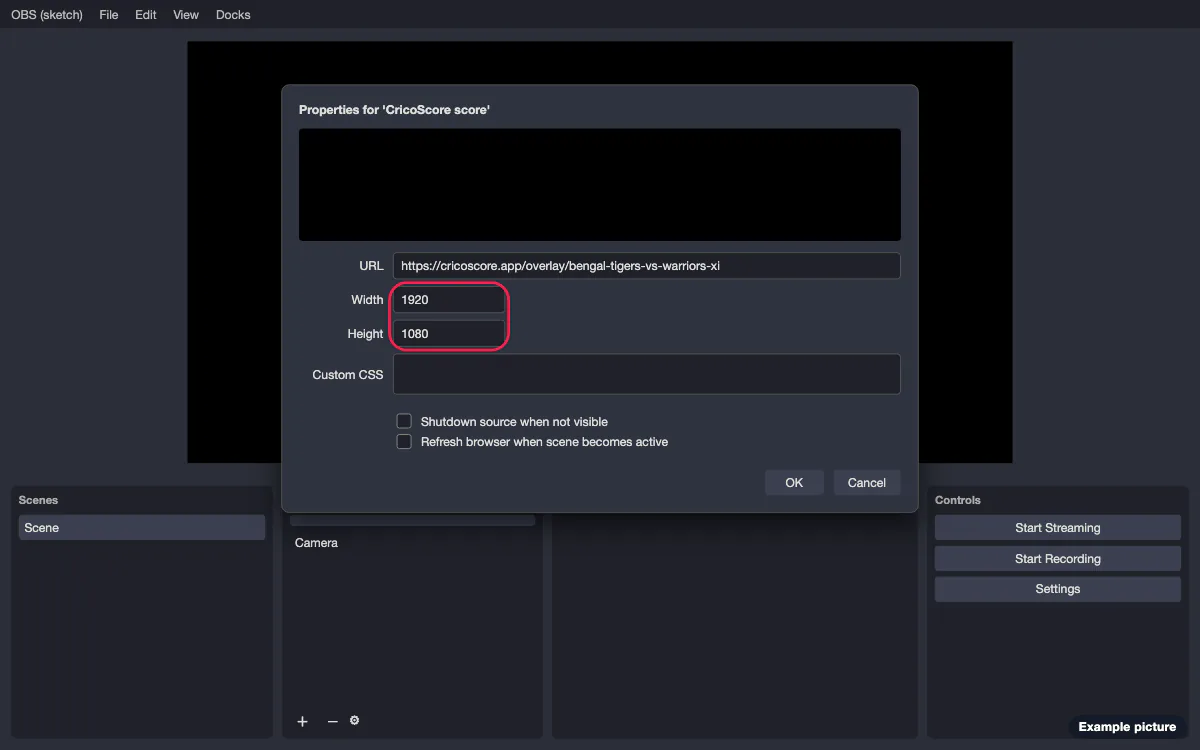
Picture 2. Tap or click to see it bigger. Leave Custom CSS as it is. The page is already see-through. You see only the score, not a white page.
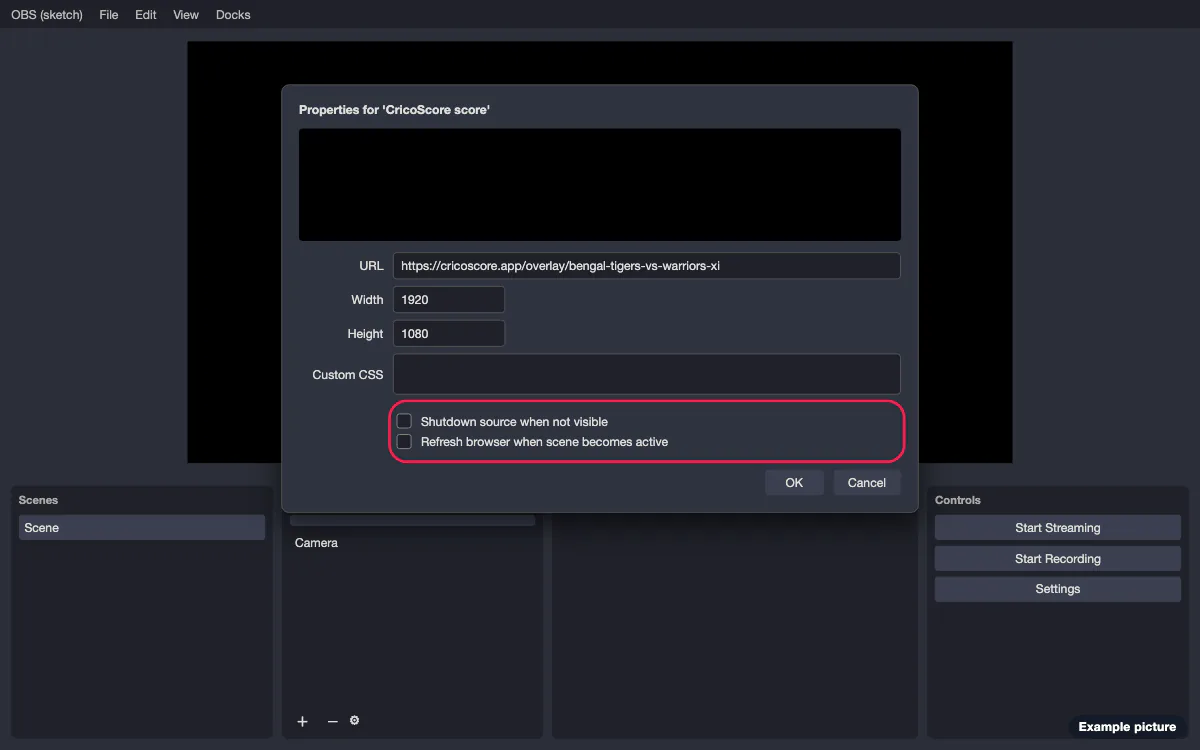
Turn off "Shutdown source when not visible".
Turn off "Refresh browser when scene becomes active".
Picture 3. Tap or click to see it bigger. Click OK. Drag the scoreboard so it covers the whole picture. Keep it above your camera in the Sources list.
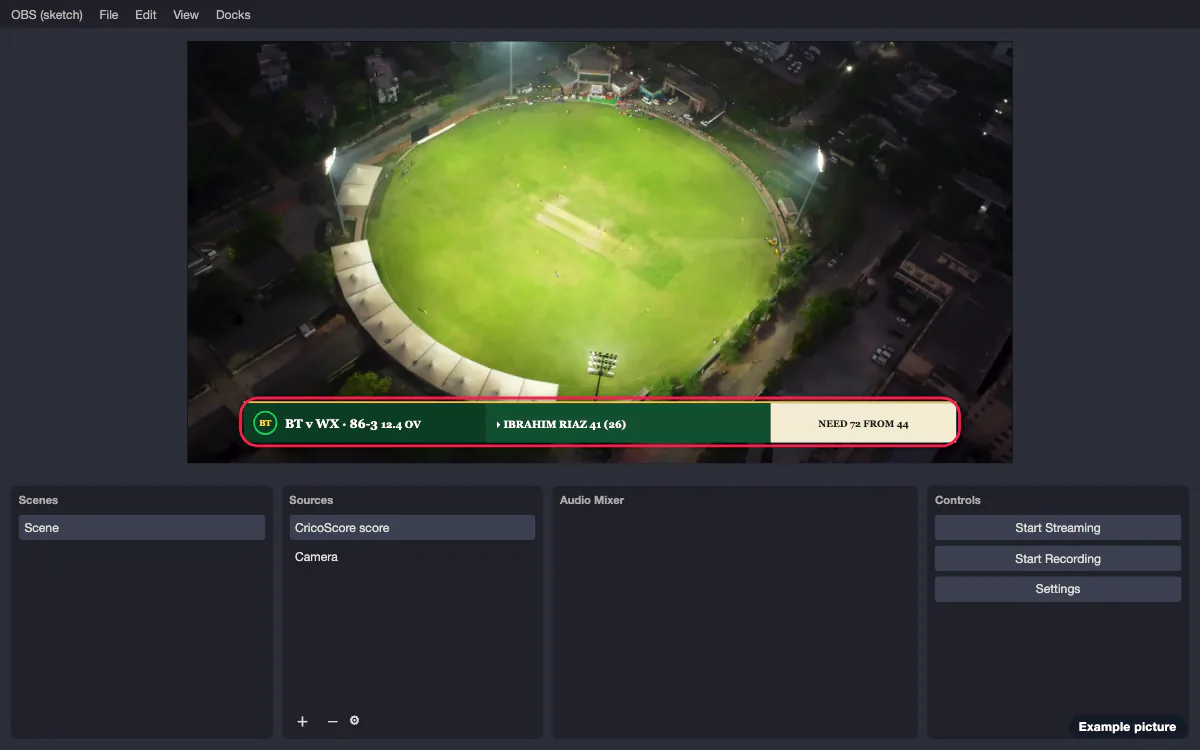
Picture 4. Tap or click to see it bigger.
Your stream size
1080p (1920 × 1080): use the sizes above.
720p (1280 × 720): you can keep 1920 × 1080 and let OBS fit it to the picture. Or type 1280 and 720. The scoreboard grows or shrinks to fit.
Vertical, for Reels or Shorts (1080 × 1920): set Width to 1080 and Height to 1920. The score bar moves up and leaves the bottom and the right edge free for the app's buttons.
The size of the scoreboard must match the shape of your picture. If it does not, the score looks stretched.
Get the link from the app
The scorer can copy the scoreboard link in the app. App guide: How to get the score link for OBS.
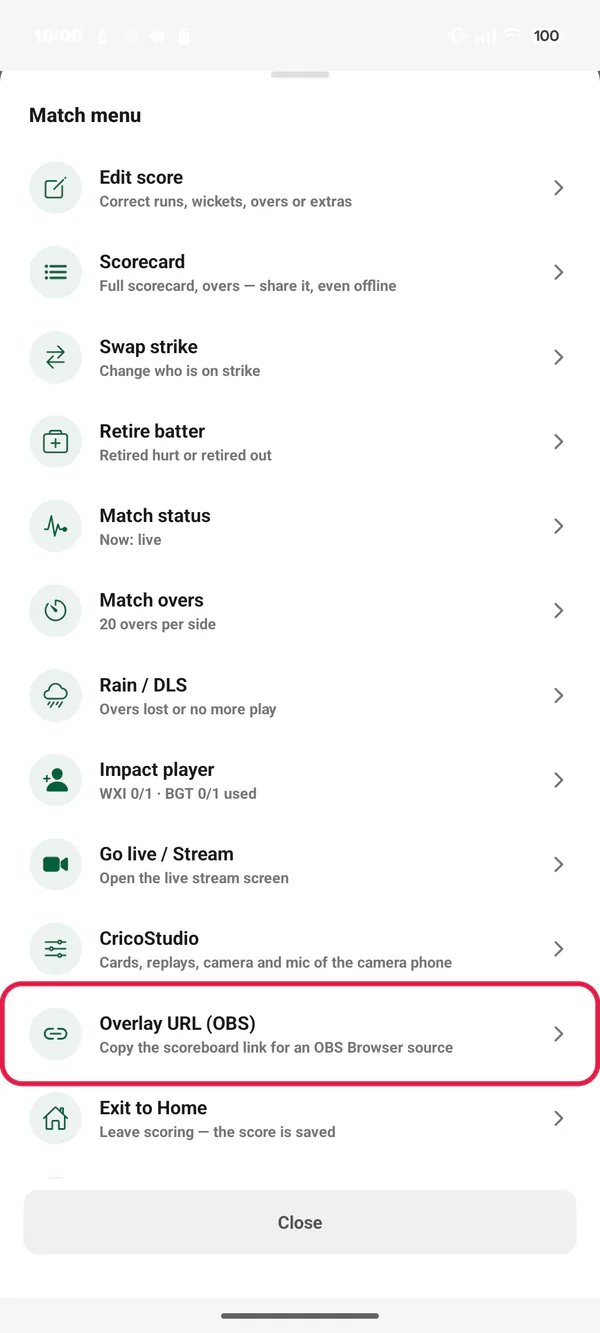
On the scoring screen, tap the ⋯ button. Tap Overlay URL (OBS). Before the toss, tap Overlay URL under MORE OPTIONS.
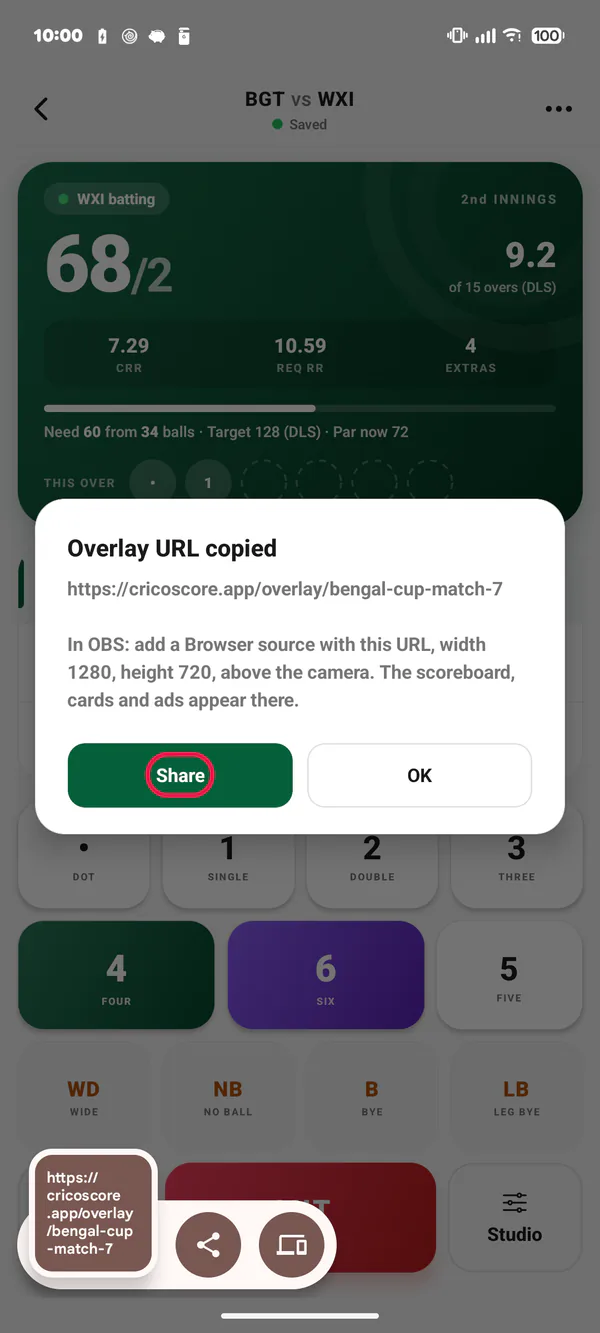
Picture 5. Tap or click to see it bigger. The message Overlay URL copied shows the link. Tap Share to send it to the laptop.
Picture 6. Tap or click to see it bigger.
The message says width 1280 and height 720. That works too. The scoreboard grows or shrinks to fit.
What the scoreboard shows
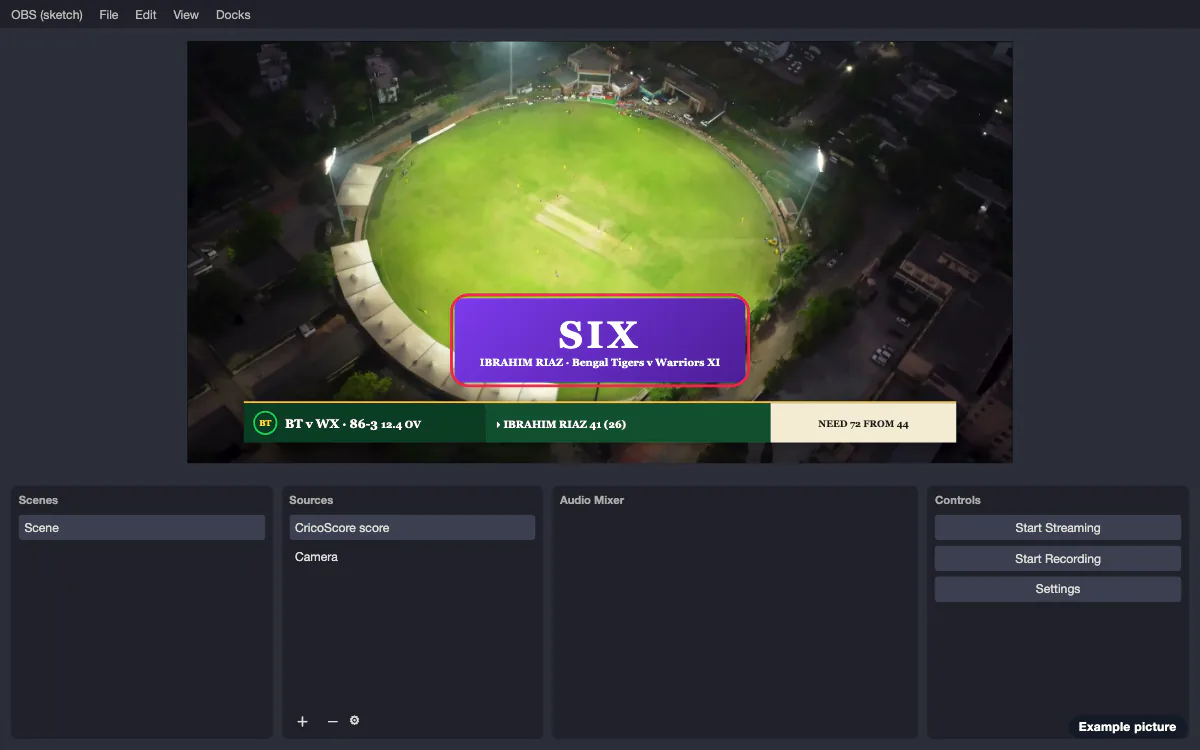
The scoreboard changes by itself with every ball. Fours, sixes, wickets and the result show as big moments. See What the live video shows by itself.
Show cards and ads
Do you want a scorecard, a break screen or an ad? Open CricoStudio in another browser tab. See How to control a live stream with CricoStudio.
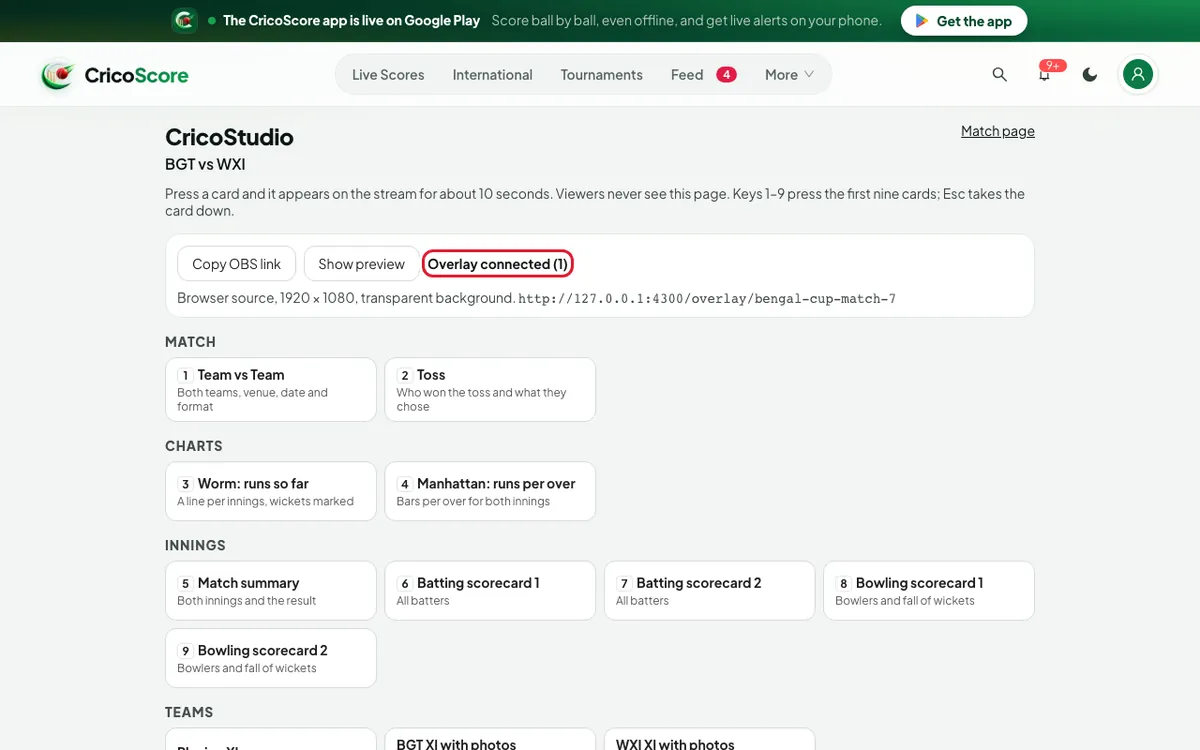
In CricoStudio, Copy OBS link copies the address for step 2. Overlay connected (1) means OBS has the scoreboard open. No overlay open in OBS means your cards don't reach the stream.
Common problems
| Problem | What to do |
|---|---|
| I see nothing | Is the match Private? A Private match shows no live score: make it Public. Before the first ball you see both team names in the score bar's place. If you see nothing at all, check that the match name in the URL is right. Open the same URL in your browser: if the match is wrong, you see nothing there too. |
| I see a white page | Right-click the source, click Properties, and check that Custom CSS is the one OBS gave you. Click OK. |
| The score is stretched or too small | Width and Height must match your picture (see "Your stream size"). |
| The score goes away when I change scene | Turn off "Refresh browser when scene becomes active" and "Shutdown source when not visible" (steps 5 and 6). |
| The score stopped changing | Check the computer's internet. The scoreboard tries again by itself. To start it again now, right-click the source and click Refresh. |
| The accent colour is hard to read on the bar colour | In Stream theme, pick a lighter or darker colour, or click Theme's. |
| A card does not show | In CricoStudio, check that it says Overlay connected. Read the message at the bottom of CricoStudio: it says why. See CricoStudio. |