


Organise tournaments
How to add and remove co-organisers on a computer
After this guide, other people can help you run your tournament. You choose what each person can do.
Who can do this
Only the tournament owner (the person who created it).
Before you start
Each helper needs a CricoScore account.
Know their name, @username, phone number or email.
Manager or Scorer?
| Manager (Full access) | Scorer (Score only) | |
|---|---|---|
| Score matches in the app | Yes | Yes |
| Go live (stream video) in the app | Yes | Yes |
| Control a live stream from a second phone | Yes | Only on matches they are assigned to score |
| Add teams, matches, groups, bracket | Yes | No (view only) |
| Change Settings | Yes | No |
| Add or remove co-organisers | No | No |
| Delete the tournament | No | No |
Going live works only in the app. The website can't start a live stream.
Add a co-organiser
Open your tournament on the My Cricket page. Example: "Demo Cup 2026".
Click the Access tab.
Under ADD PEOPLE, click Manager or Scorer.
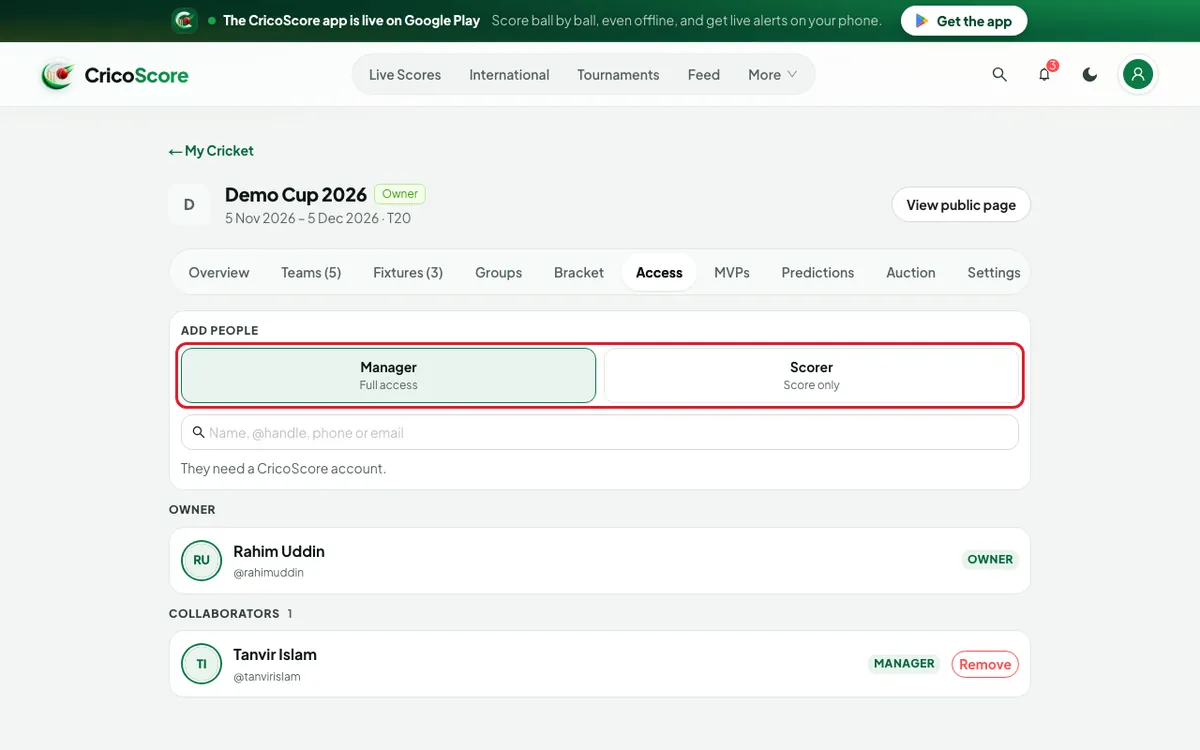
Picture 1. Tap or click to see it bigger. In the search box, type their name, @username, phone or email.
Click Add next to the right person. They appear under COLLABORATORS.
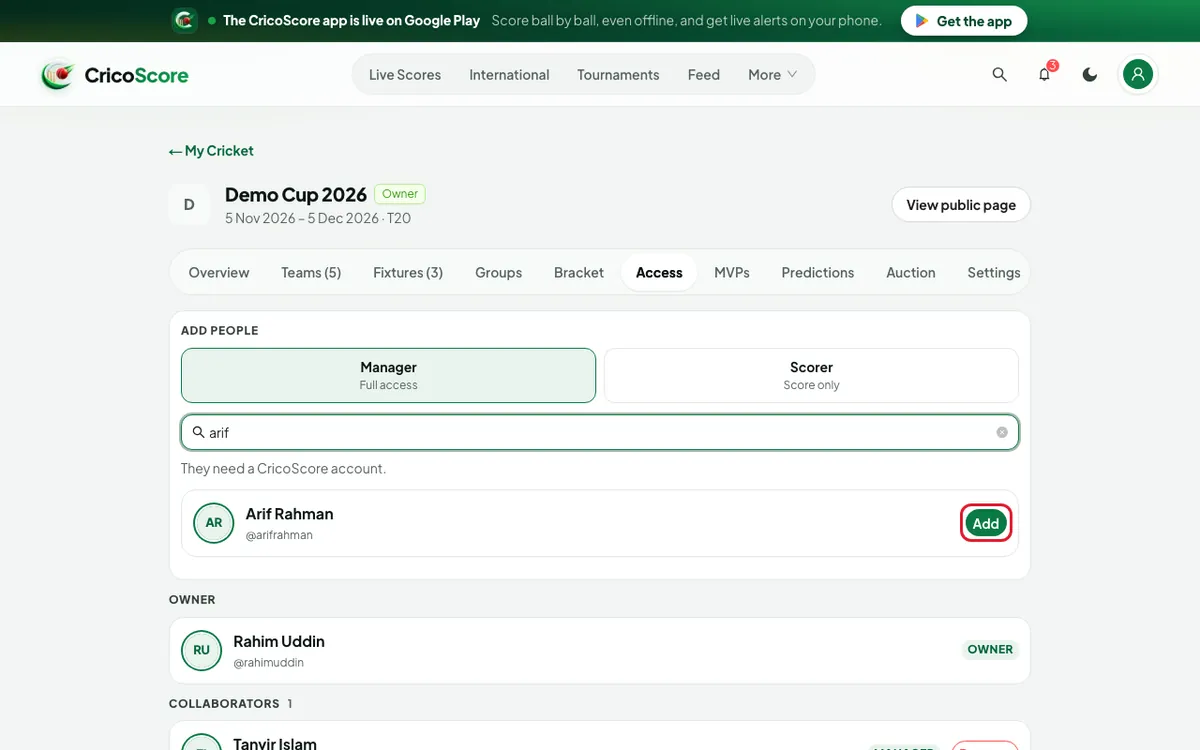
Picture 2. Tap or click to see it bigger.
No one found? If you typed a full email, phone number or @username, click Add by … under the box.
Remove a co-organiser
Under COLLABORATORS, find the person.
Click Remove. A question appears.
Click Remove again. They can no longer help run the tournament.
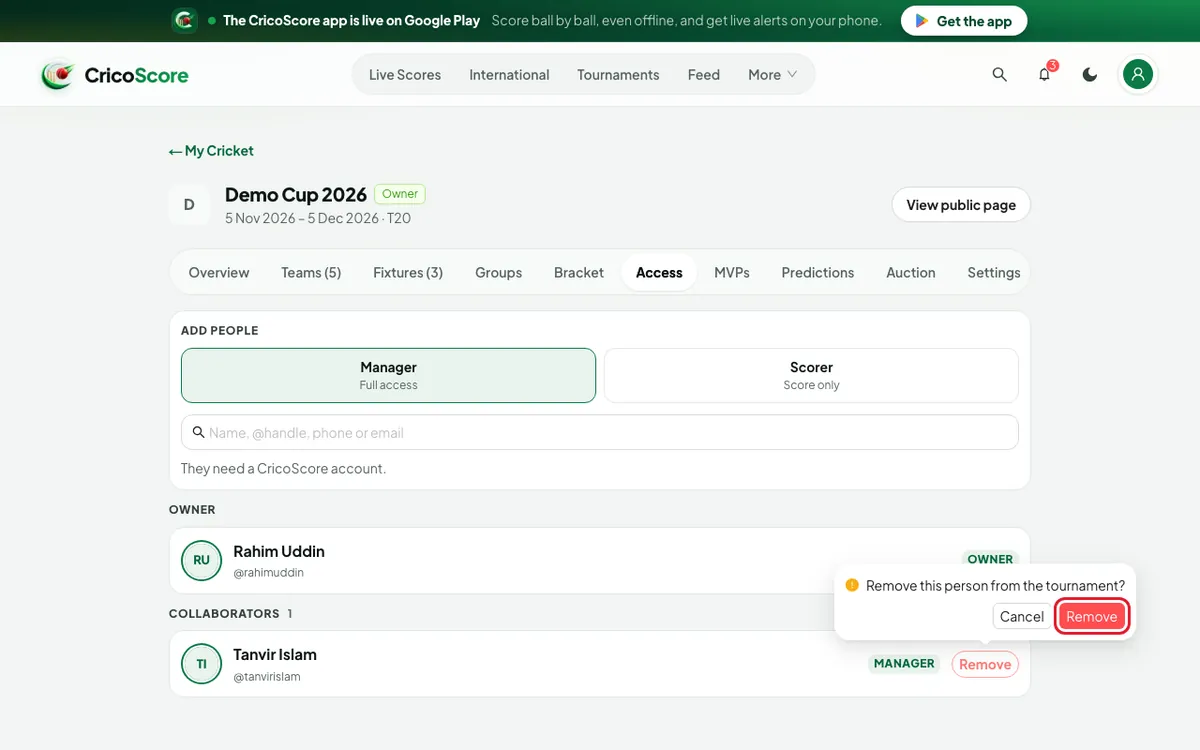
Picture 3. Tap or click to see it bigger.
Common problems
| Problem | What to do |
|---|---|
| I don't see ADD PEOPLE | Only the owner can add people. You see Only the owner can add or remove people. |
| No one found. Try their @handle, phone number or email. | Check the spelling. They need a CricoScore account. |
| No account found with this email | Ask them which email they used to sign up. |
| The search shows Added | That person is already a co-organiser or the owner. |