


Organise tournaments
How to add matches and assign scorers on a computer
After this guide, your tournament has its matches, and each match has a scorer.
Who can do this
The tournament owner or a Manager. Only the person who created a match can invite its scorer.
Before you start
A tournament with at least 2 teams. See How to create and set up a tournament.
Your scorer has a CricoScore account and the app on an Android phone.
Part 1: Schedule a match
On the My Cricket page, click your tournament. Example: "Demo Cup 2026".
Click the Fixtures tab.
Click Schedule match.
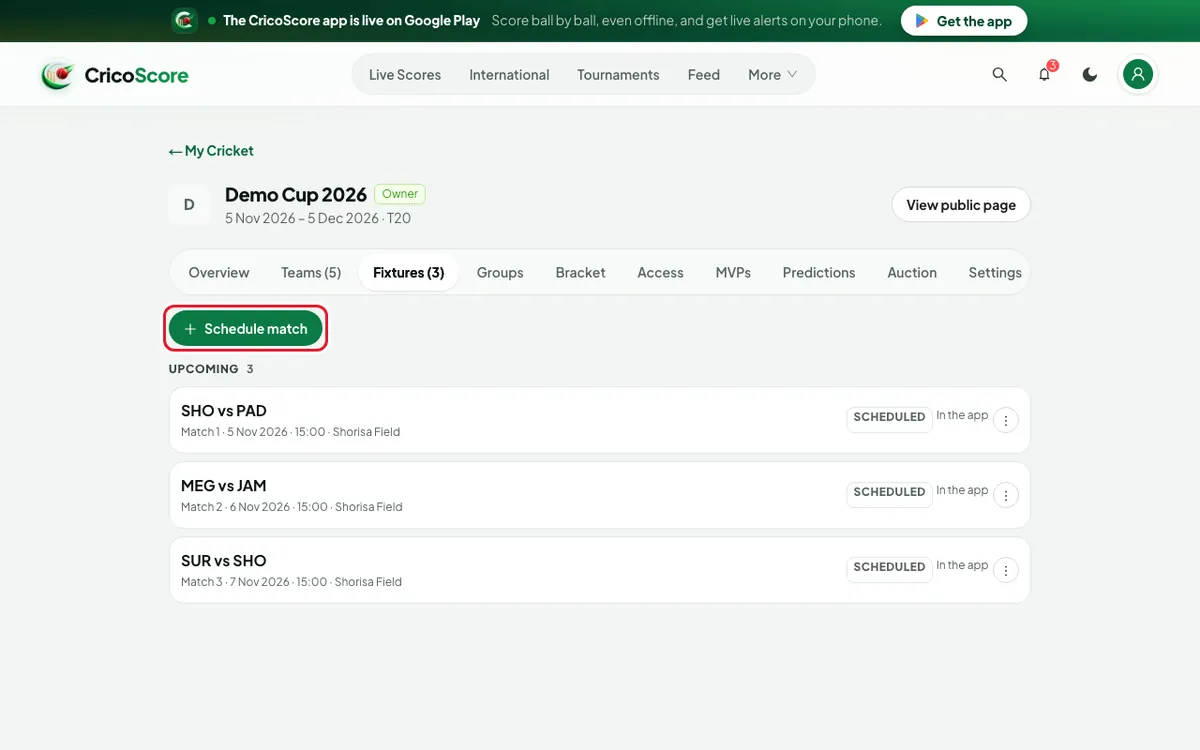
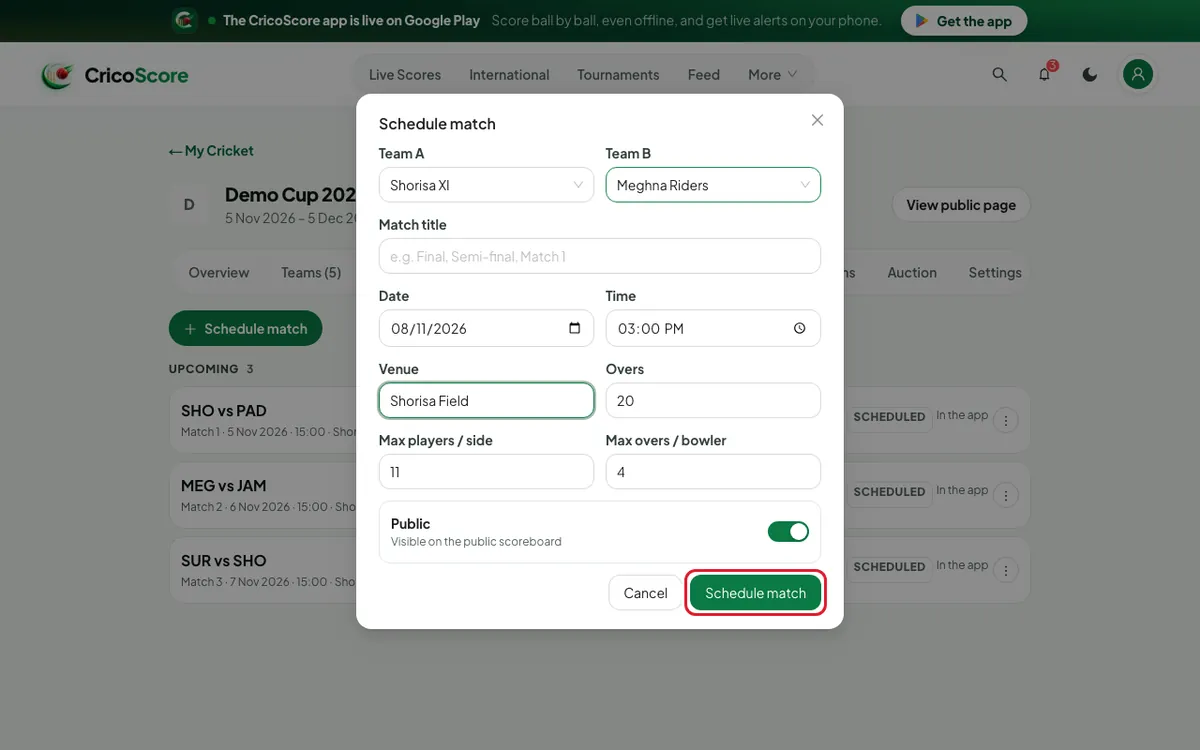
Picture 1. Tap or click to see it bigger. Choose Team A and Team B. Example: "Shorisa XI" and "Meghna Riders".
Choose the Date. You can also add a Time, a Venue and a Match title.
Check Overs. It comes from your tournament settings.
Leave the switch on Public so fans can see the match.
Click Schedule match. The website shows Match scheduled.
Picture 2. Tap or click to see it bigger.
Part 2: Assign a scorer
The Assign scorer box opens by itself after step 8. For an older match, click the ⋮ button on its row. Then click Assign scorer.
Type the scorer's name, @username, email or phone number.
Click Invite next to the right person. The invite shows under SENT INVITES as Pending.
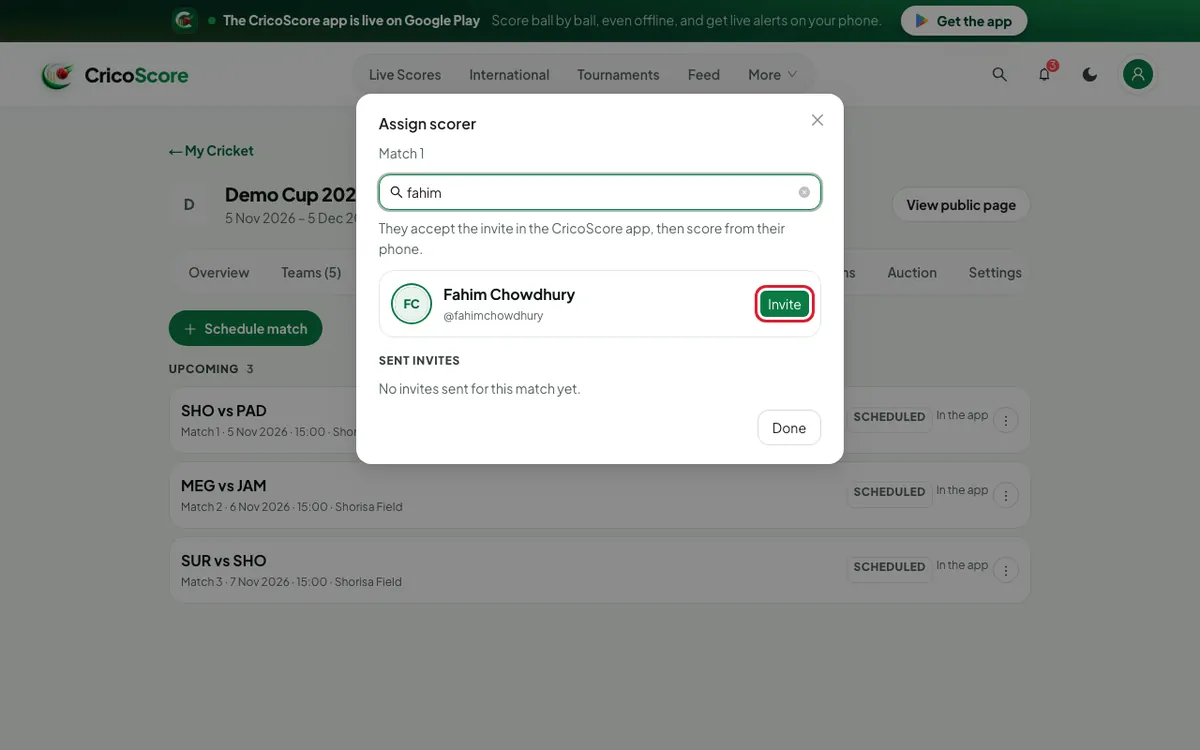
Picture 3. Tap or click to see it bigger. Click Done.
Ask the scorer to accept the invite in the CricoScore app. The status changes to Accepted.
Common problems
| Problem | What to do |
|---|---|
| Add teams first | The tournament needs at least 2 teams. Add them on the Teams tab. |
| Pick Team A / Pick Team B | Choose both teams. |
| Match date is required | Choose a date. |
| Assign scorer is not in the ⋮ menu | Only the person who created the match can invite a scorer. Ask them. |
| No players found. | Check the spelling. The scorer needs a CricoScore account. |
| Delete match is not in the menu | Only the owner or the match creator can delete. A live match can't be deleted. |