


Organise tournaments
How to set up a knockout bracket on a computer
After this guide, your tournament has a knockout bracket, from Round 1 to the Final.
Who can do this
The tournament owner or a Manager. A Scorer sees the bracket but can't change it.
Before you start
A tournament with at least 2 teams. See How to create and set up a tournament.
Your seed order: who is the top team, the second team, and so on.
Part 1: Seed the bracket
Open your tournament on the My Cricket page. Click the Bracket tab.
Click Seed bracket. The Seed bracket box opens.
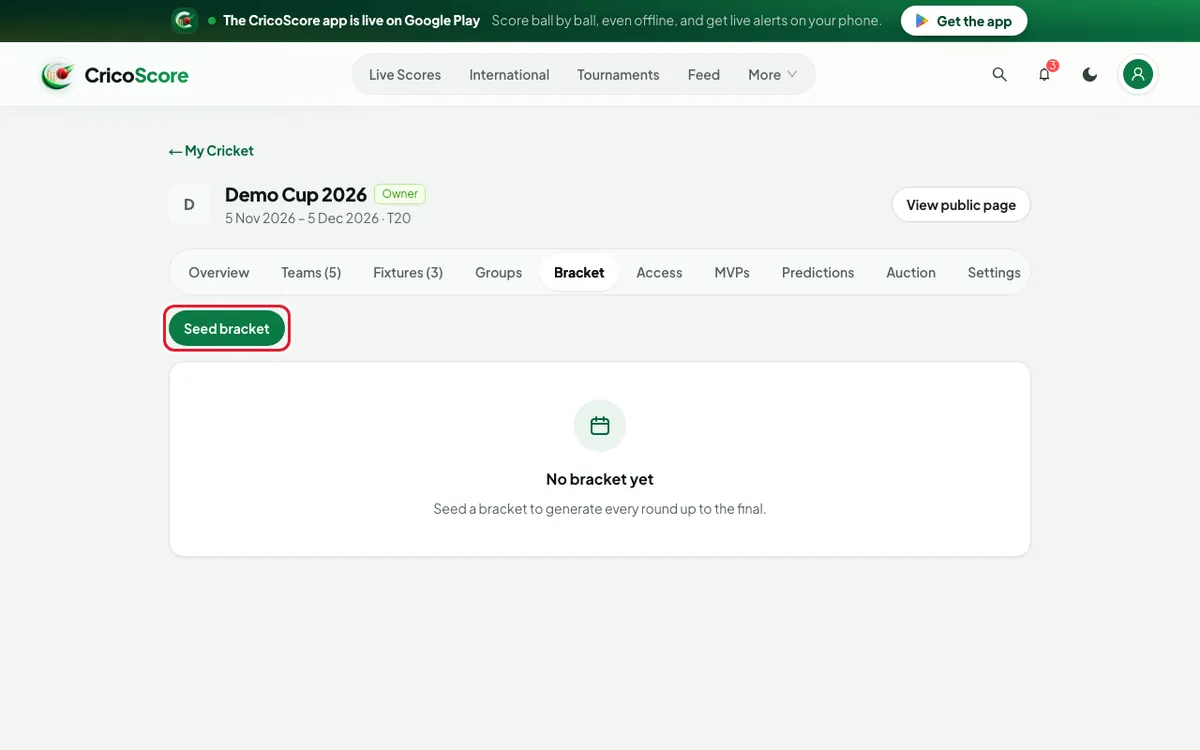
Picture 1. Tap or click to see it bigger. Under AVAILABLE, click the top team first. Then click the next team, and so on. Or click Add all.
Use ↑ and ↓ to change the order. Number 1 is the top seed.
Check ROUND 1 PAIRINGS. The top seed plays the last seed.
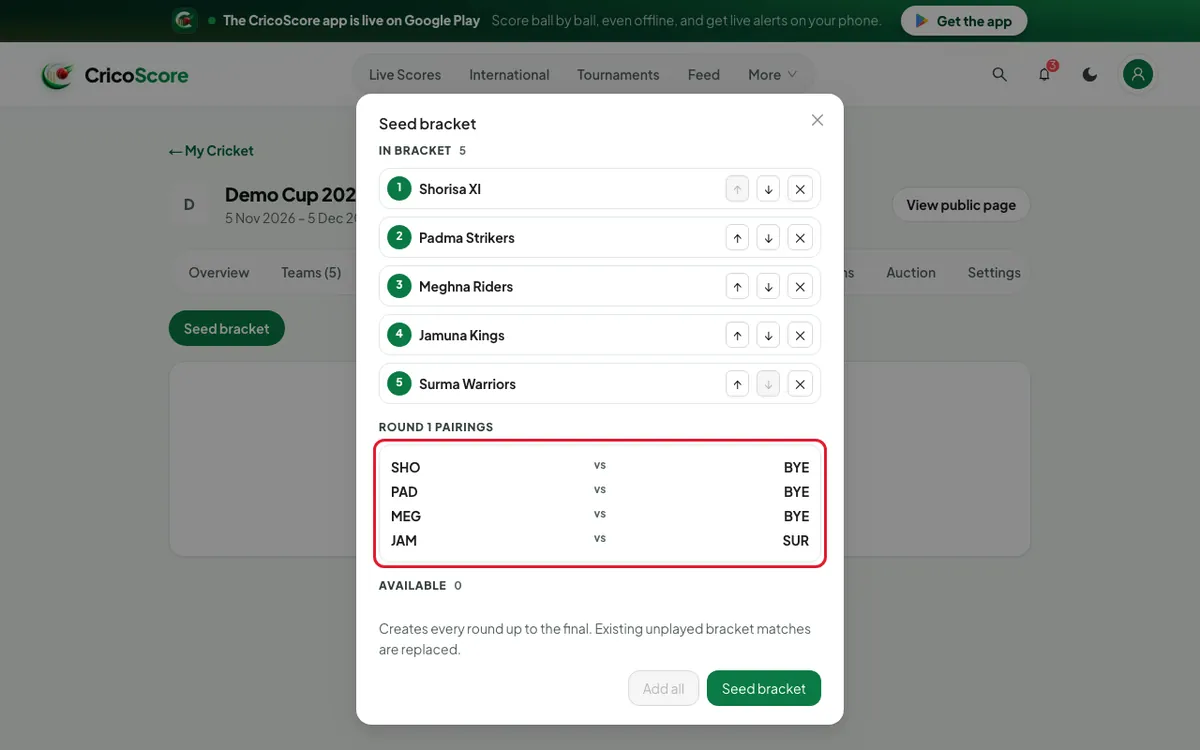
Picture 2. Tap or click to see it bigger. Click Seed bracket. The website shows Bracket seeded. Every round up to the FINAL appears.
Part 2: Set dates and move teams
Click Edit on a match card. Set the Date, Time and Venue. Click Save match.
To swap two teams, click Rearrange. Click one team, then the other.
To fill an empty TBD place, click it while in Rearrange. Choose a team.
Click Done.
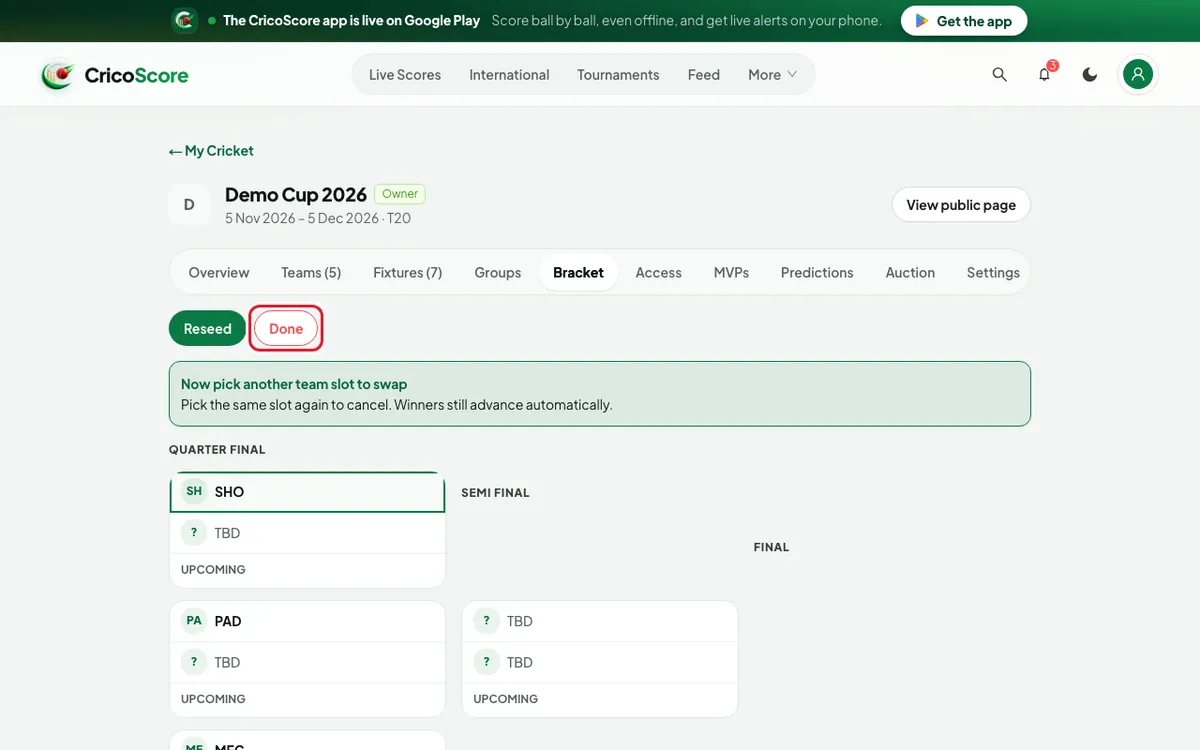
Picture 3. Tap or click to see it bigger.
Common problems
| Problem | What to do |
|---|---|
| Add teams first | You need at least 2 teams. Add them on the Teams tab. |
| Can't reseed | A bracket match is finished. Use Rearrange instead. |
| Live or completed matches can't be changed. | You clicked a locked match. Choose an upcoming one. |
| I don't see Seed bracket | Only the owner and Managers see it. |