


Organise tournaments
How to turn on organiser tools on the website
After this guide, you can open the My Cricket page and start running tournaments from a computer.
Who can do this
Anyone with a CricoScore account. It is free. Nobody needs to approve you.
Before you start
A computer with internet.
A CricoScore account. You can use your app account. See How to sign in on the website.
Steps
Sign in on cricoscore.app.
Click your picture at the top right of the page. A menu opens.
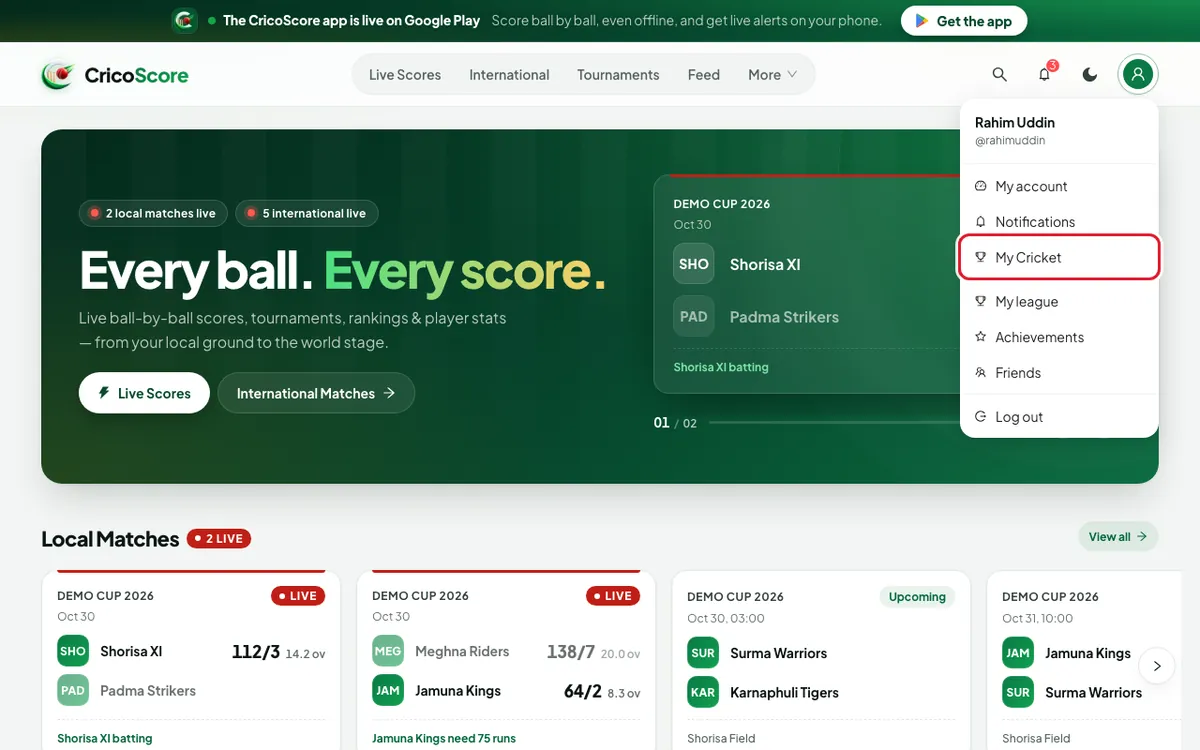
Picture 1. Tap or click to see it bigger. Click My Cricket.
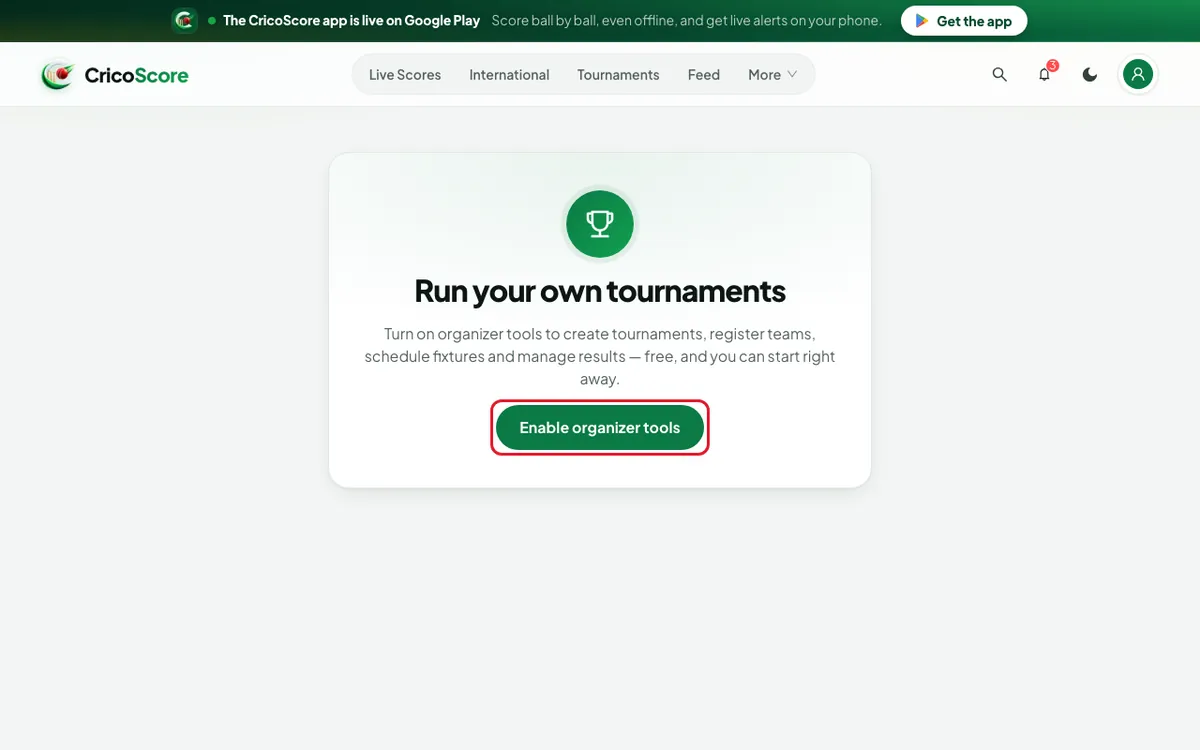
If you see Run your own tournaments, go to step 4.
If you see the My Cricket page, your tools are already on. You are done.
Click Enable organizer tools. The website shows Organizer tools enabled. The My Cricket page opens.
Picture 2. Tap or click to see it bigger. Look at the dashboard. At the top are Leagues, New team and New tournament. Below are My Tournaments and My Teams.
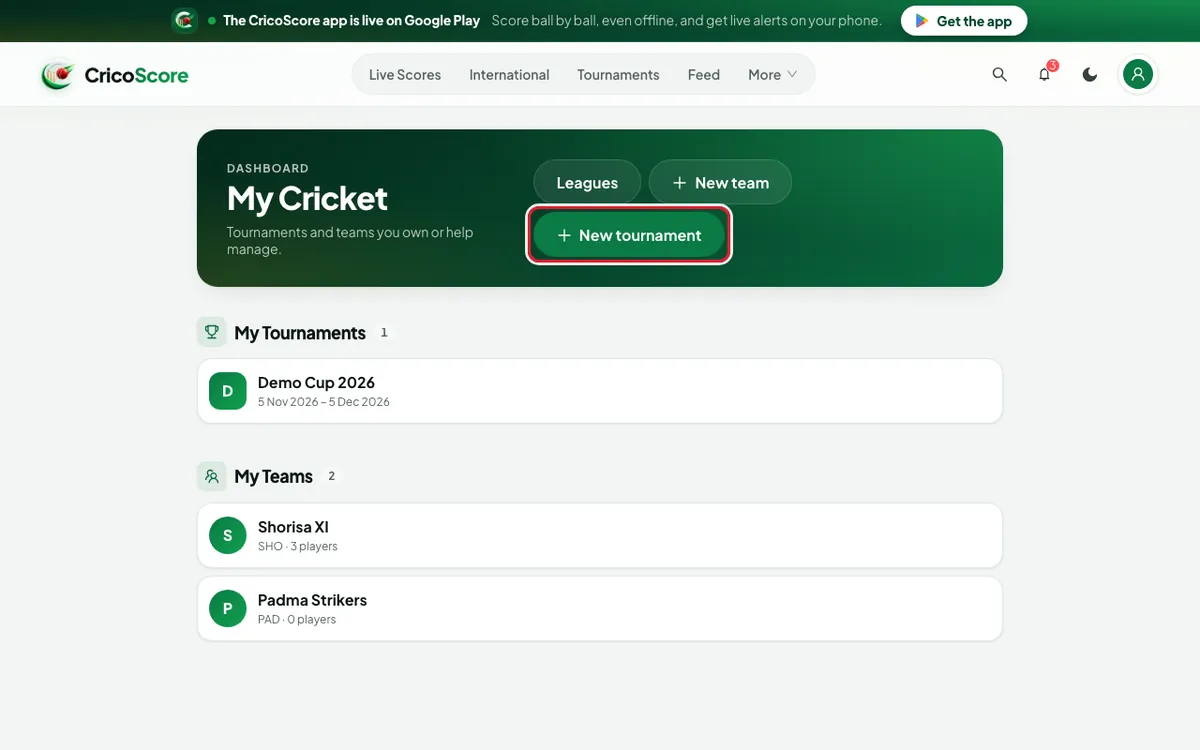
Picture 3. Tap or click to see it bigger.
Common problems
| Problem | What to do |
|---|---|
| The website asks me to log in | My Cricket works only when you are signed in. Sign in, then try again. |
| We couldn't load your organizer account. | Check your internet. Then click Try again. |
| Could not enable organizer tools. | Wait a minute. Then click Enable organizer tools again. |
| I can't find My Cricket in the top menu | It is not in the top menu. Click your picture at the top right. |