


Your account
How to see your badges and weekly ladder on the website
You will see the badges you earned and your place in this week's ladder.
Who can do this
Anyone with an account.
Before you start
Sign in on the website. See How to sign in on the website.
Steps
Your badges
Click (or tap on a phone) your picture at the top right. The account menu opens.
Click Achievements. The Achievements page opens.
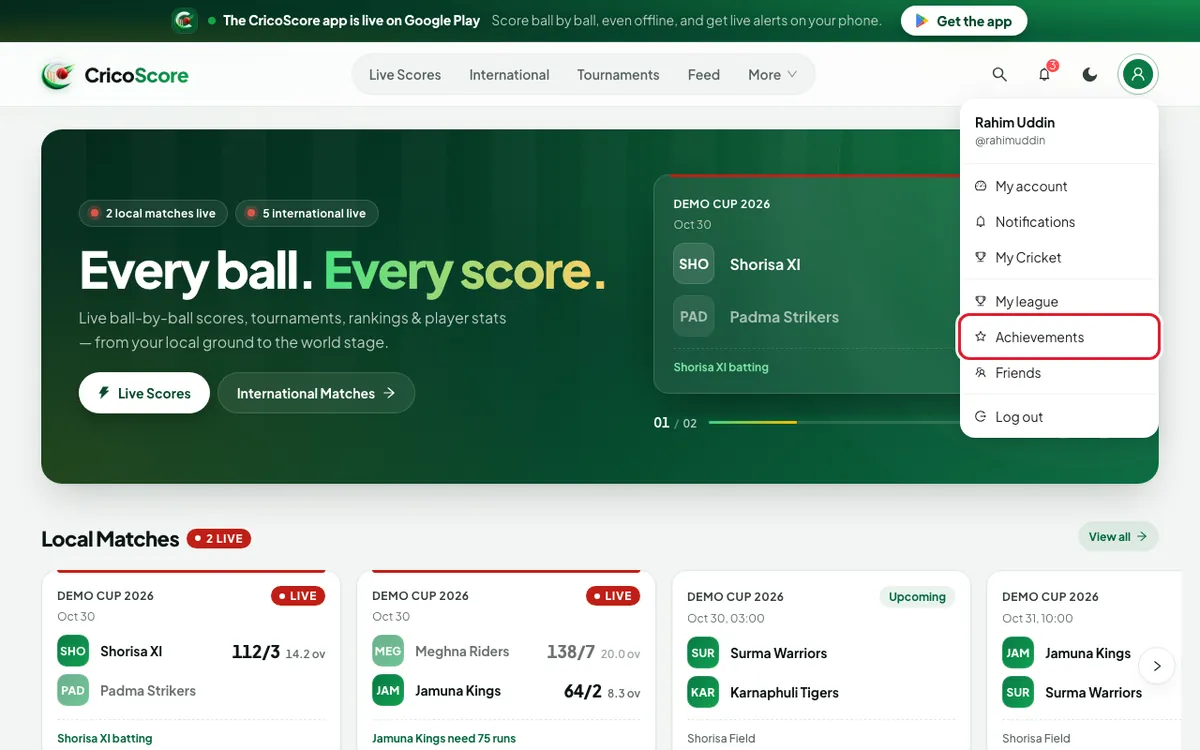
Picture 1. Tap or click to see it bigger. Look at the top. It shows how many badges you earned, for example 7 / 42.
Scroll down. Badges are in groups, like BATTING, BOWLING and FIELDING.
A coloured trophy means you earned it. You see EARNED and the date.
A lock means not yet. A bar shows how close you are, for example 3/5.
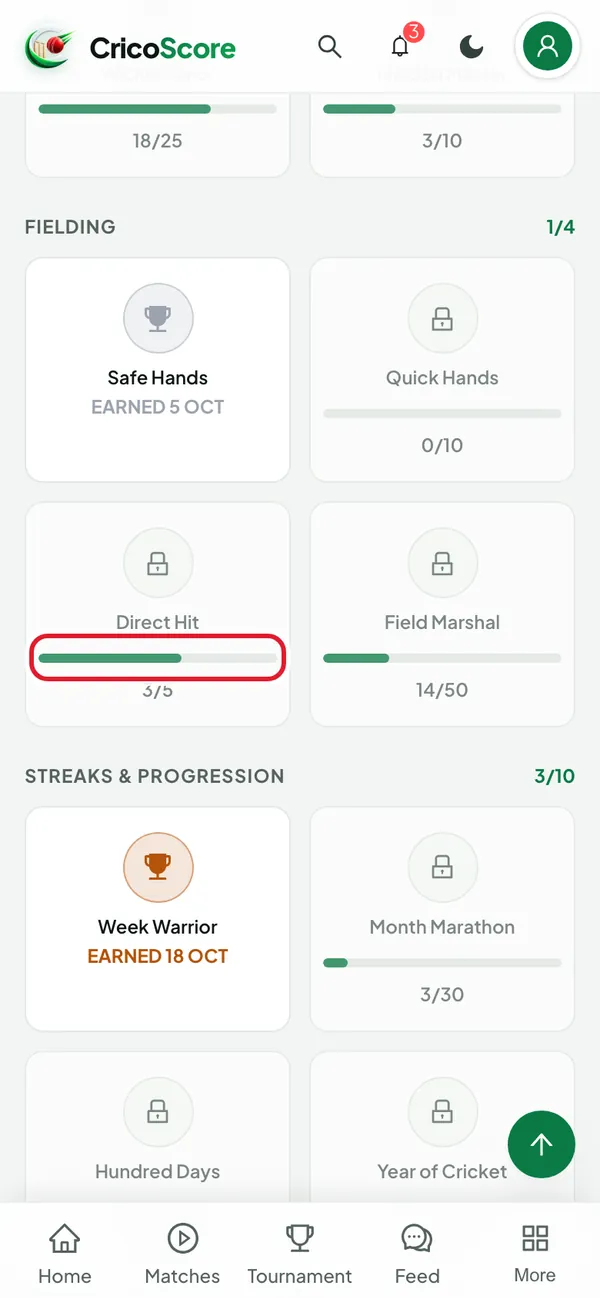
Picture 2. Tap or click to see it bigger. Hold the mouse over a badge to read what it is for (on a computer).
Your weekly ladder
Open the account menu again. Click My league.
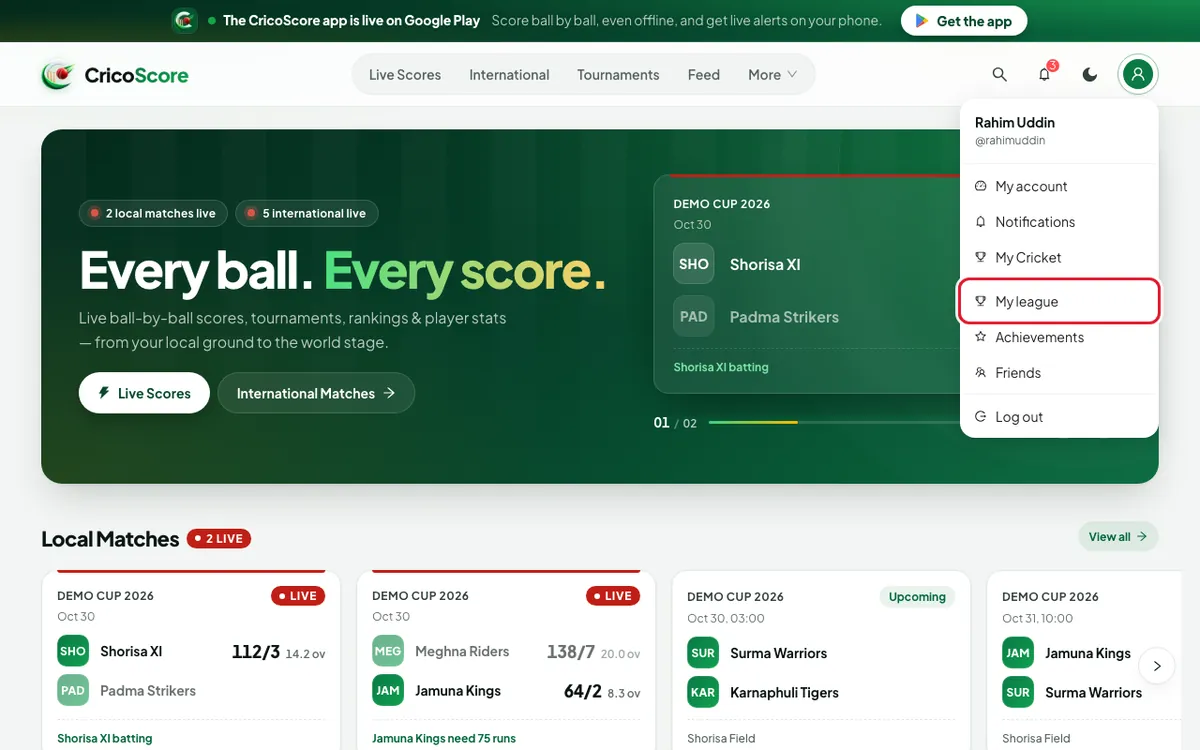
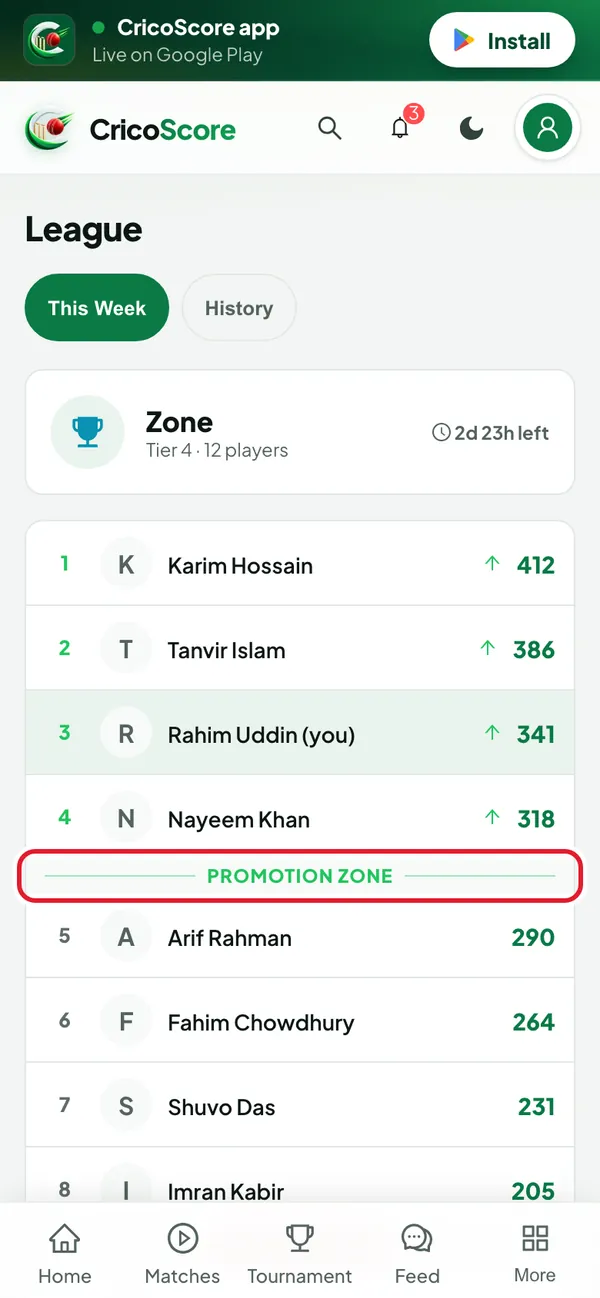
Picture 3. Tap or click to see it bigger. Look at the top card. It shows your tier, the number of players, and the time left this week.
Look at the list. Your row is coloured and says (you).
Players above PROMOTION ZONE go up a tier.
Players below RELEGATION ZONE go down a tier.
Picture 4. Tap or click to see it bigger. Click History to see past weeks: Promoted, Relegated or Stayed.
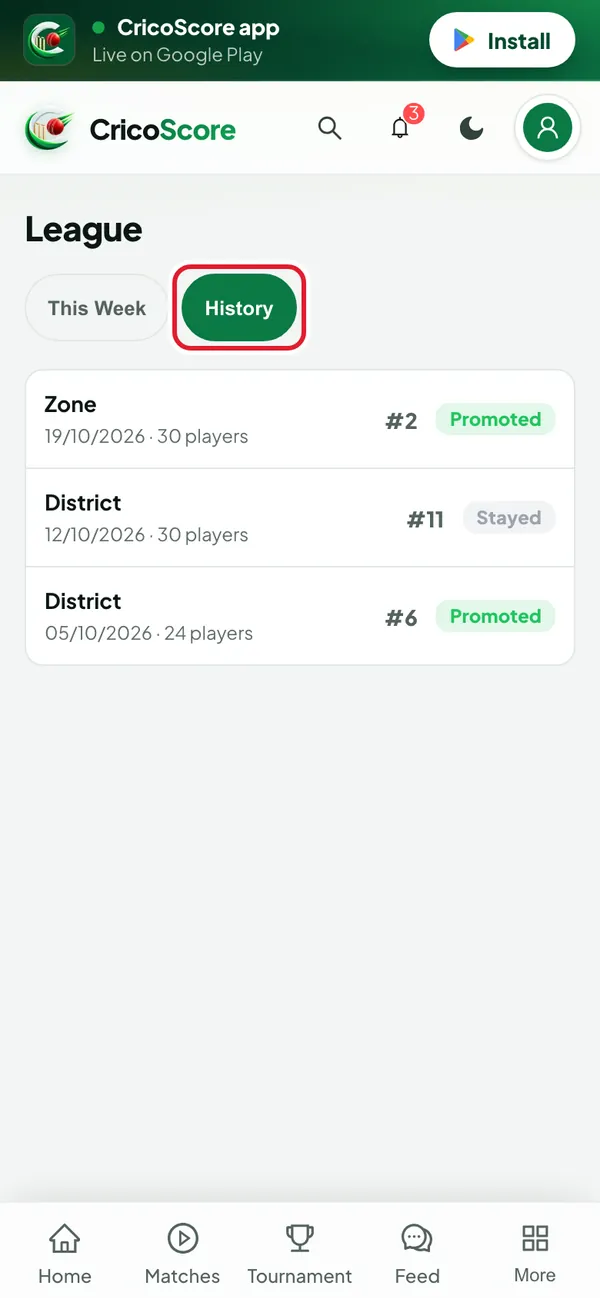
Picture 5. Tap or click to see it bigger.
How you earn CS Points
The number next to each name is CS Points. You earn them in matches scored in CricoScore:
1 for each run. +1 more for a four, +2 more for a six.
+8 for 50 runs. +16 more for 100.
25 for each wicket. 33 if it is bowled or LBW.
12 for a maiden over.
8 for a catch. 12 for a stumping or a run out.
4 for playing. 4 more for the captain, and 4 for the wicketkeeper.
−2 for out on 0 (a duck).
Only points earned this week count in the ladder.
Common problems
| Problem | What to do |
|---|---|
| I see Play a match to be placed in a league. | Play a match scored in CricoScore. Then you join a ladder. |
| I see No badges yet. | Play matches scored in CricoScore. Badges come from your cricket. |
| I see No completed weeks yet. on History | Your first week is not finished yet. |
| I see Log in to see your weekly league. | Click Log in, then open My league again. |