


More to explore
How to see Career Records and the Leaderboard
See who has the most runs and wickets on CricoScore, and who is in the best form.
Who can do this
Everyone. The Friends and My Country views need an account.
Before you start
A phone or computer with internet.
Open cricoscore.app in your browser.
Two different lists
Career Records: all the runs and wickets of local players, from every match ever scored on CricoScore.
Leaderboard: players get CS Points for runs, wickets, catches and milestones. It shows who is in form now.
See Career Records
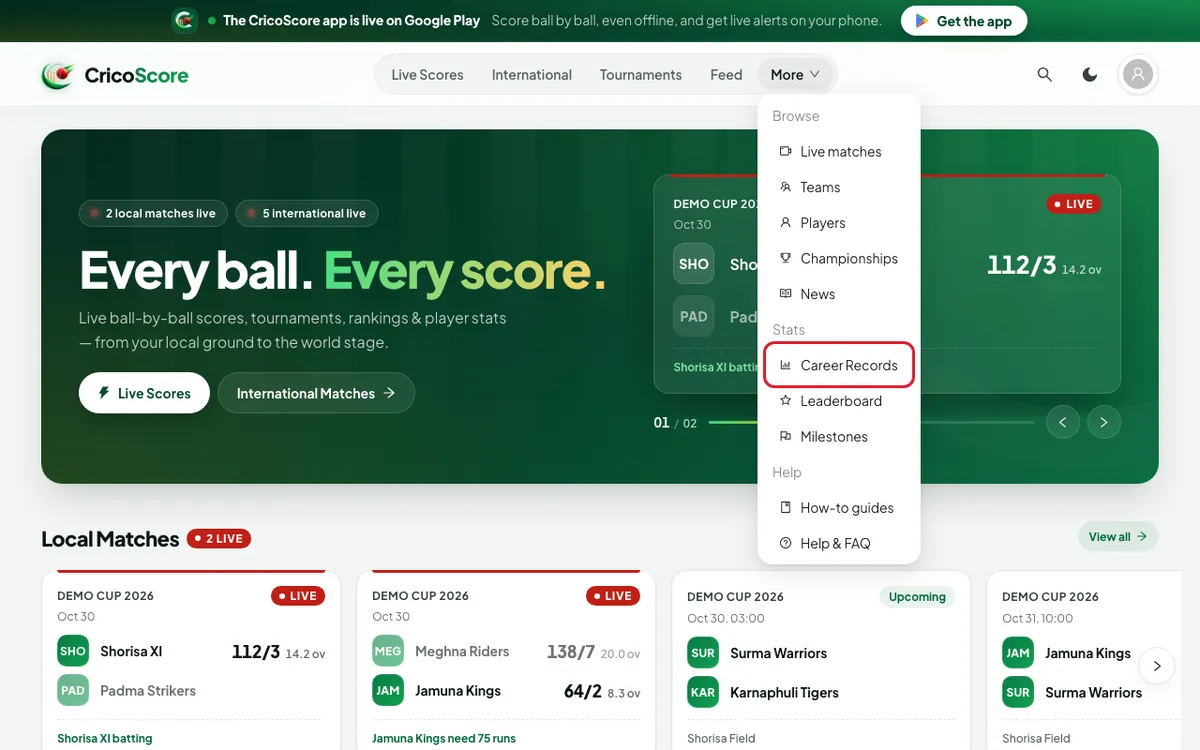
Open the More menu (More in the top menu on a computer, or in the bottom bar on a phone).
Click (or tap on a phone) Career Records under Stats (STATS on a phone).
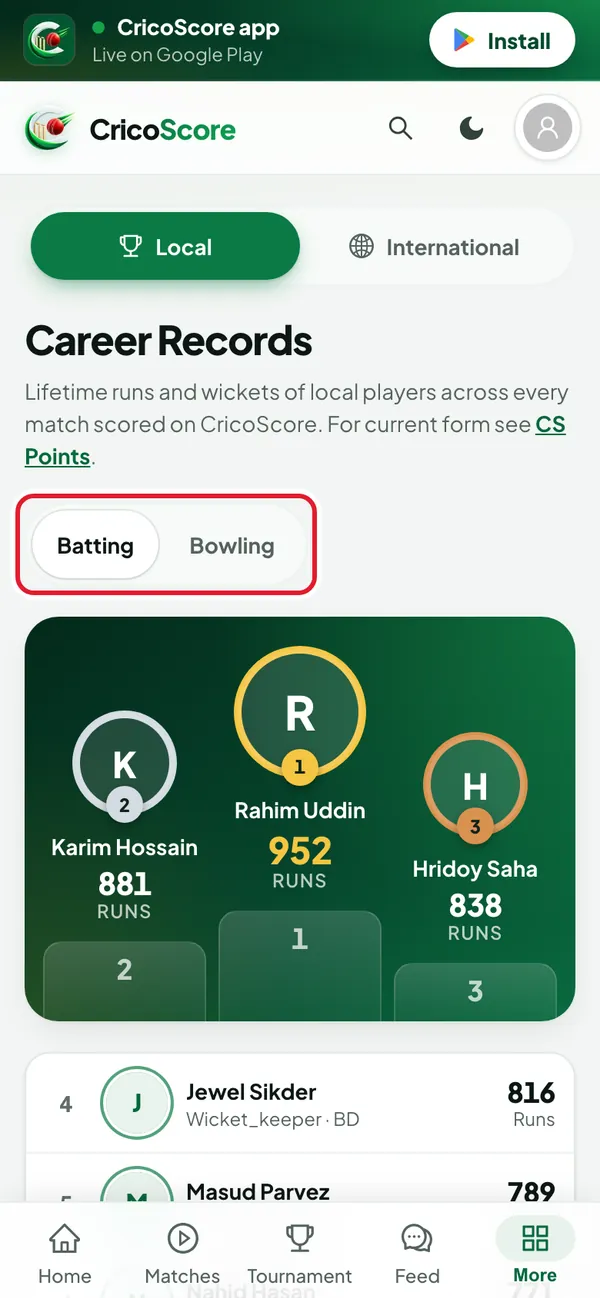
Picture 1. Tap or click to see it bigger. Click (or tap) Batting for runs, or Bowling for wickets. The top 3 players stand on a podium.
Picture 2. Tap or click to see it bigger. To see world rankings, click (or tap) International at the top. The ICC Rankings open.
See the Leaderboard
Open the More menu.
Click (or tap) Leaderboard under Stats. The CS Points Leaderboard opens.
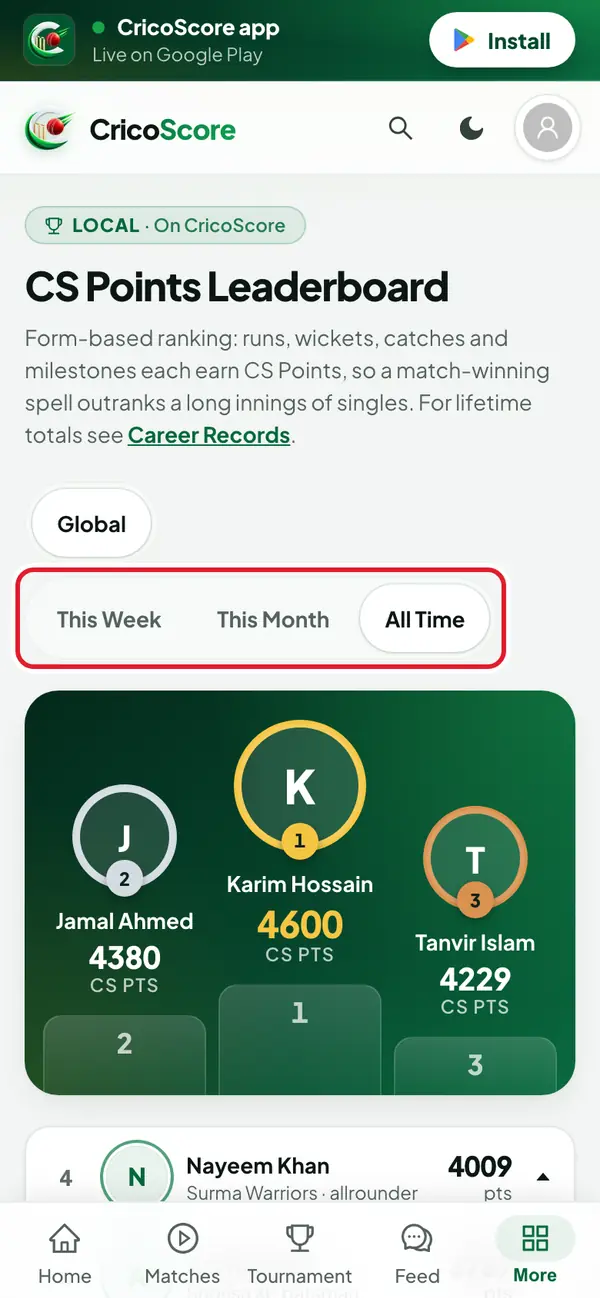
Choose a time: This Week, This Month or All Time.
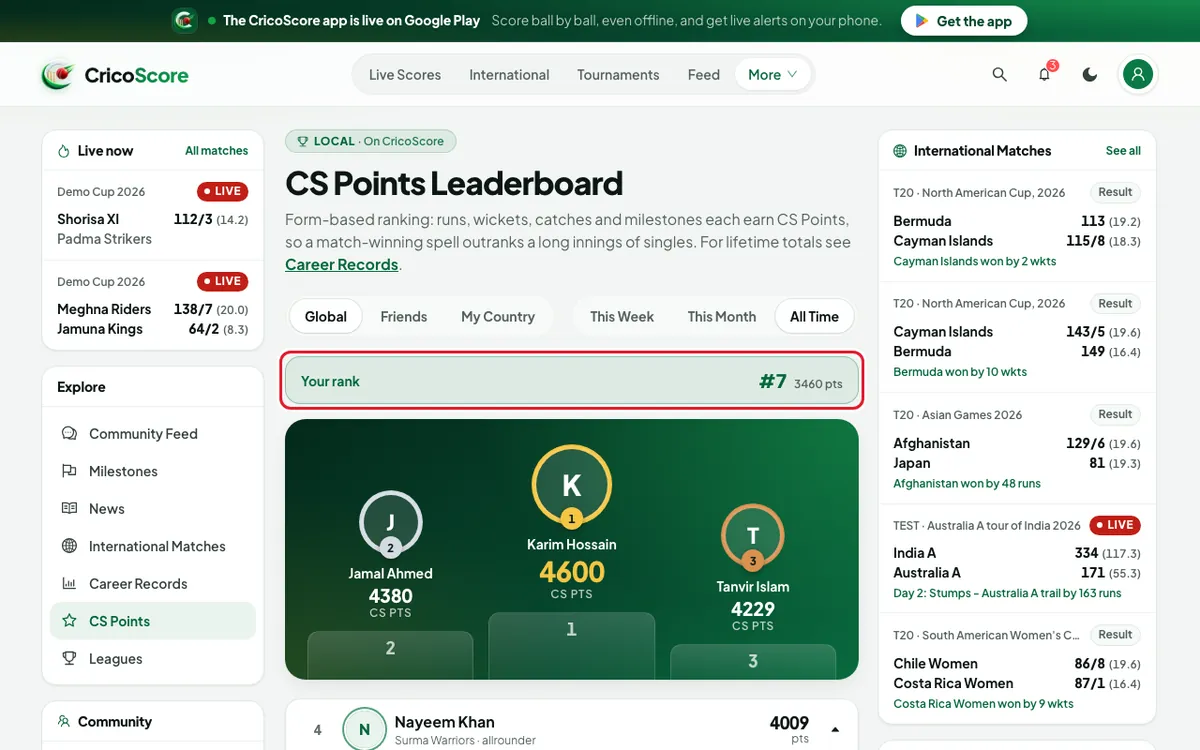
Picture 3. Tap or click to see it bigger. Signed in? Choose Friends or My Country to see a smaller list. Your place shows in the Your rank box.
Picture 4. Tap or click to see it bigger.
Common problems
| Problem | What to do |
|---|---|
| I don't see Friends or My Country | Log in first. See How to sign in on the website. |
| None of the players you follow are ranked yet. | Follow more players, or choose Global. |
| My name is not on the list | The lists show only the top players. Play and score more matches on CricoScore. |
| The text says CS Points, but the menu says Leaderboard | They are the same page. |