


Getting started
How to reset your password on the website
Forgot your password? Get a 6-number code by email or SMS, and choose a new password.
Who can do this
Anyone with an account.
Before you start
The email or phone number of your account.
Your email inbox, or your phone for the SMS.
Steps
Click the person icon at the top right. Then click Log in.
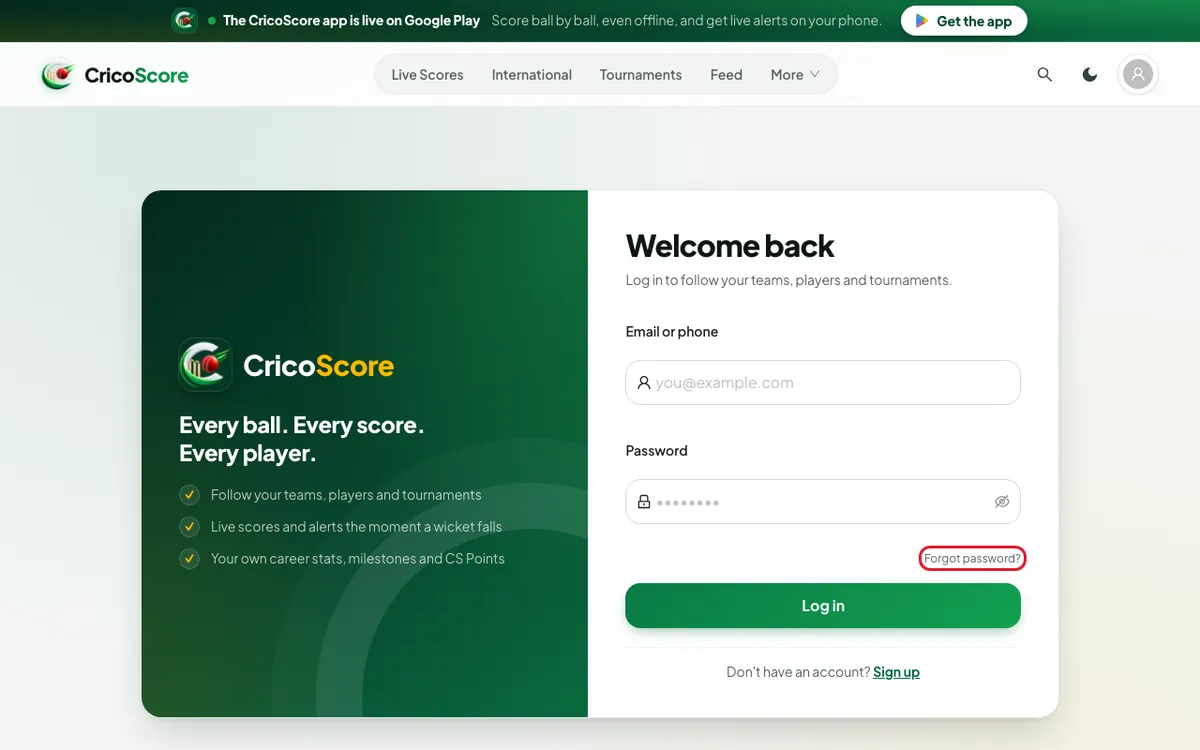
Under the Password box, click Forgot password?. The Forgot password? page opens.
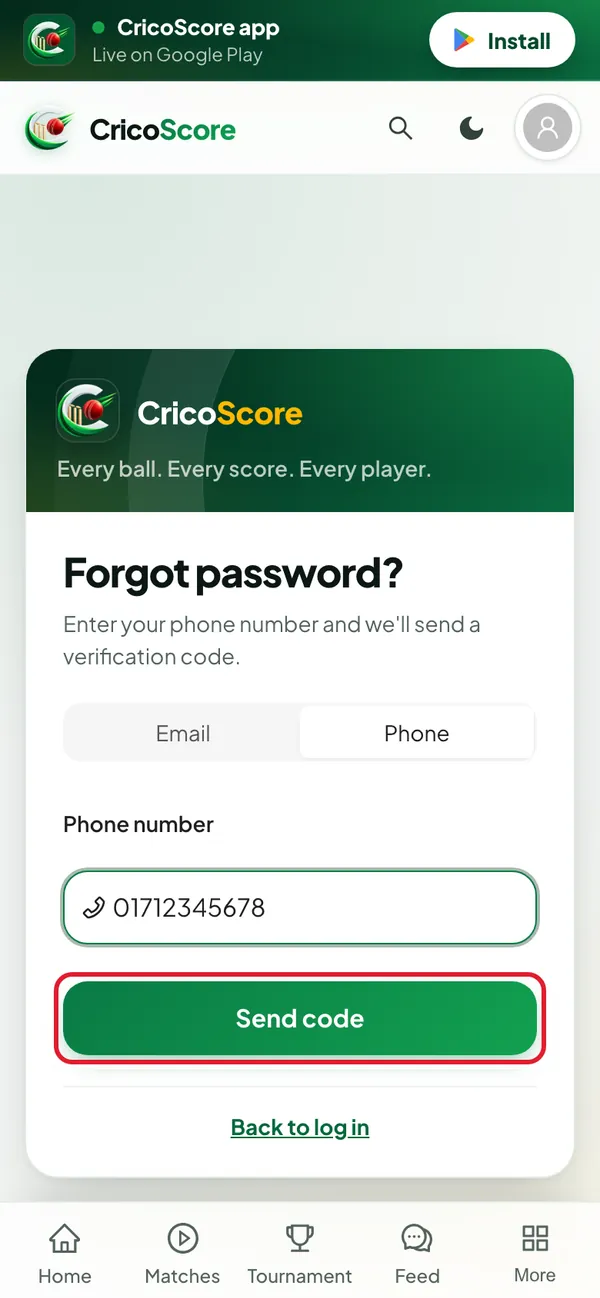
Picture 1. Tap or click to see it bigger. Choose Email or Phone at the top of the form.
Type your email address or phone number. Type it exactly as you did when you made the account.
Click Send code. The Enter your code page opens.
Picture 2. Tap or click to see it bigger. Find the code in your email or SMS. In the 6-digit code box, type it.
In the New password box, type a new password. Use 6 to 64 characters.
In the Confirm new password box, type it again.
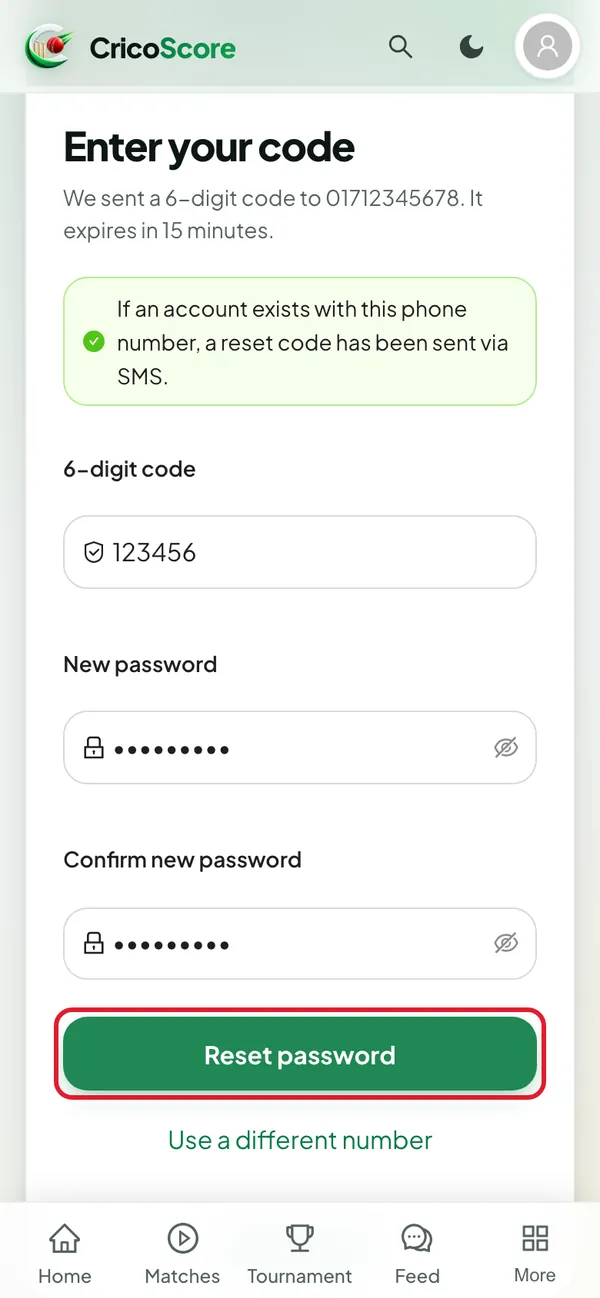
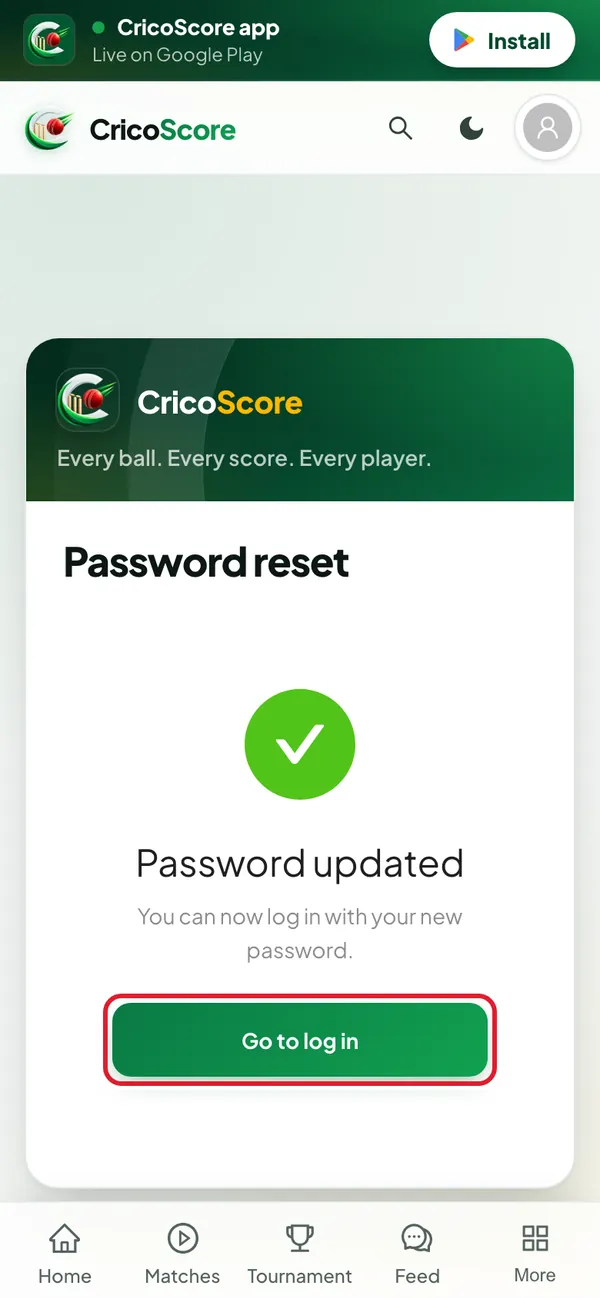
Picture 3. Tap or click to see it bigger. Click Reset password. You see Password updated.
Click Go to log in. Sign in with your new password.
Picture 4. Tap or click to see it bigger.
Common problems
| Problem | What to do |
|---|---|
| No code came | Wait 1 minute. Check the spam folder of your email. Check you typed the email or number the same way as at sign-up. |
| I want to try a different email or number | On the Enter your code page, click Use a different email (or Use a different number). |
| "Reset code has expired. Please request a new one." | The 15 minutes ended. Click Use a different email (or number), then click Send code again. |
| "Invalid reset code. Please check and try again." | Check the 6 numbers. Type them again. |
| "The code is 6 digits" | Type all 6 numbers of the code. |
| "Too many reset attempts. Please try again in 15 minutes." | You asked for a code 3 times. Wait 15 minutes, then try again. |
| "Could not send verification code via SMS. Please try email or contact support." | Choose Email and try again, if your account has an email. |