


The feed
How to report a post and block a person on the website
You will tell CricoScore about a bad post or comment, and stop seeing posts from a person.
Who can do this
Anyone with an account.
Before you start
Sign in. See How to create an account and sign in on the website.
Steps
Report a post
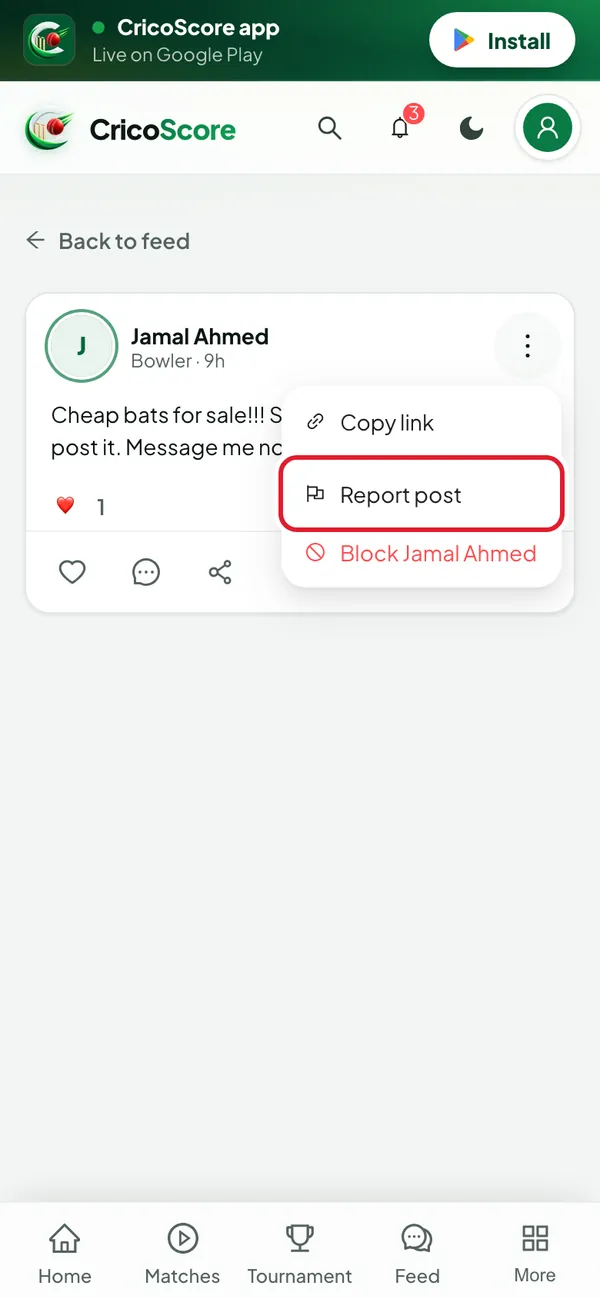
Click (or tap on a phone) the ⋮ button at the top right of the post.
Click Report post. The Report post box opens.
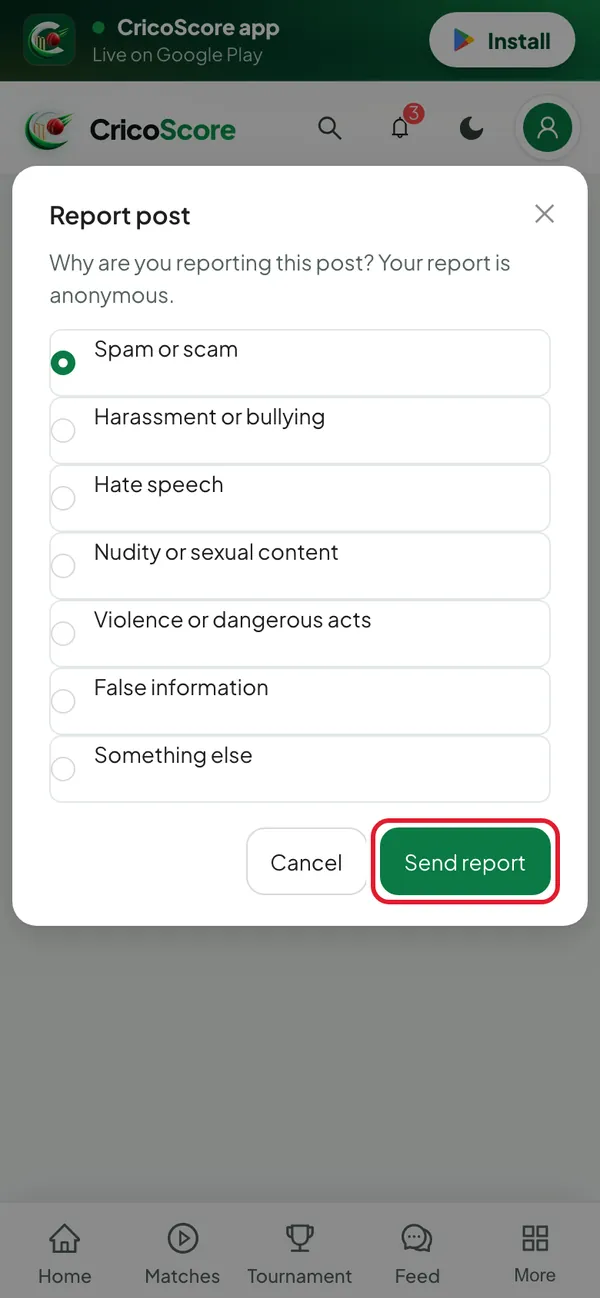
Picture 1. Tap or click to see it bigger. Choose a reason, like Spam or scam or Harassment or bullying.
Click Send report. You see Thanks for reporting. The post is hidden from you.
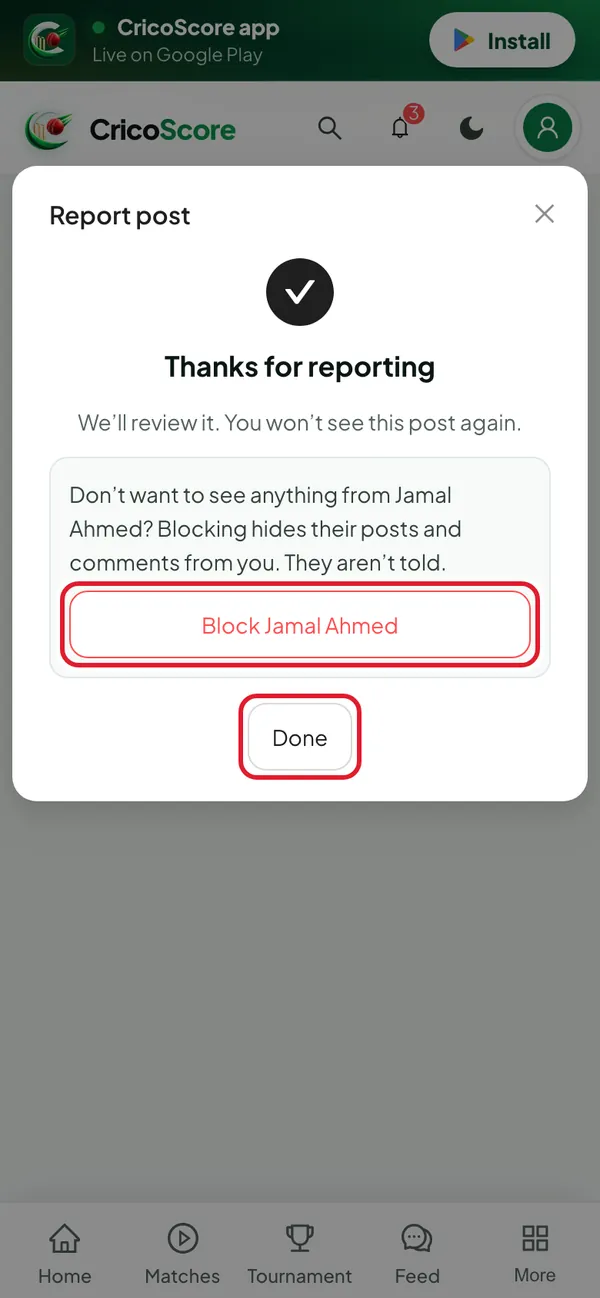
Picture 2. Tap or click to see it bigger. Click Done. Or, to block the person too, click Block Jamal Ahmed.
Picture 3. Tap or click to see it bigger.
Report a comment
Under the comment, click Report. The Report comment box opens. Then do steps 3 to 5.
Block a person without reporting
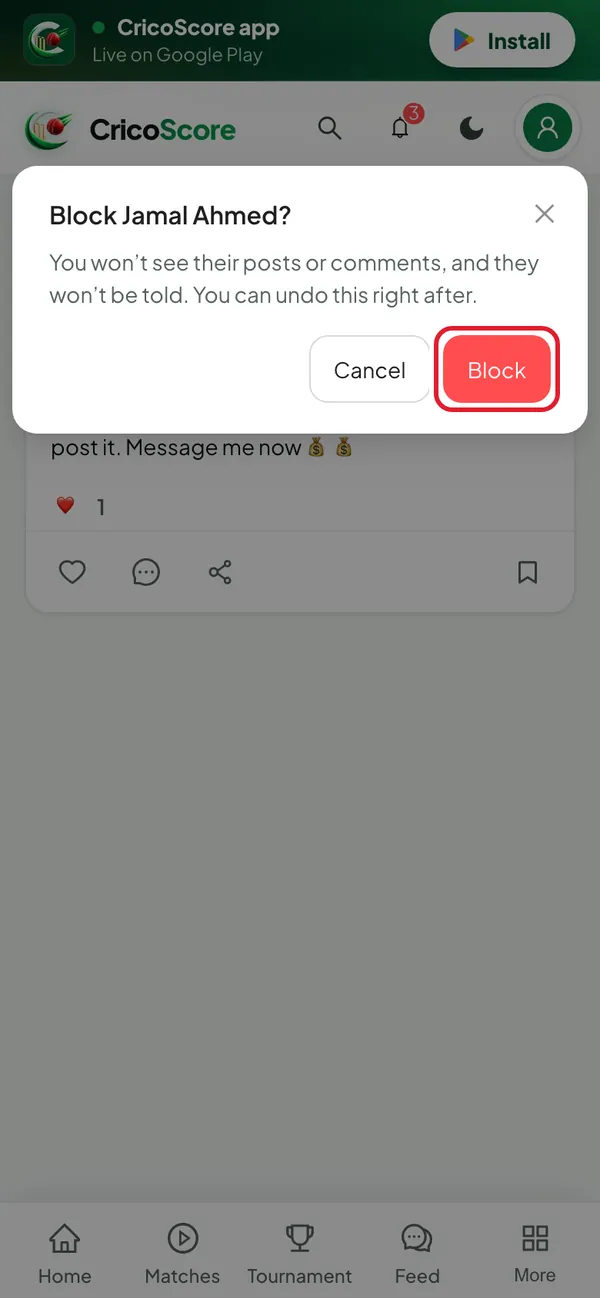
Click the ⋮ button on their post. Click Block Jamal Ahmed.
In the Block Jamal Ahmed? box, click Block. You see "Blocked Jamal Ahmed. You won't see their posts or comments." and Undo.
Picture 4. Tap or click to see it bigger.
Common problems
| Problem | What to do |
|---|---|
| I see Log in to report | You are not signed in. Click it and sign in. |
| I see "Reporting isn't available yet. Please try again later." | Something went wrong for a moment. Wait a minute and try again. If it keeps happening, contact CricoScore support. |
| There is no Block in the ⋮ menu | Posts from a team or a tournament page can't be blocked. Report the post instead. |
| I blocked the wrong person | Click Undo in the message straight away. After that, there is no unblock button. |